Opera bugs, not fixed
Operas bug history of SVG
list of fixed bug for Opera 8.x or 9.x:
Here are just already fixed bugs listed, this is maybe helpful to see, why something does not work in older versions of Opera. SVG support is in rapid progress, therefore authors and users are expected to use the newest versions of browser for SVG. Don't look back in history to much with SVG, try to get it work with browsers with a good SVG support.
Right from the start Opera 8
Opera 8 supports parts of SVG tiny 1.1,
but has a
supports a big part of SVG-tinyvery good good supporta few some
various many
problems or bugs still persist,
especially with animation.
In the technical previews of Opera 9 and 9.50 alpha/beta many bugs of Opera 8 have been fixed. Since Opera 9 beta 1 it is promised to support the profiles tiny and basic. Of course, this support is still incomplete and has many errors. Opera bugs, not fixed are mentioned on another page. Tests will be continued until I give up or it will work ;o)
fixed in 9.50 beta (build 1737)
Severity: specification violation SVG tiny 1.1. Regression compared to Opera 9.00 beta 1 (!)
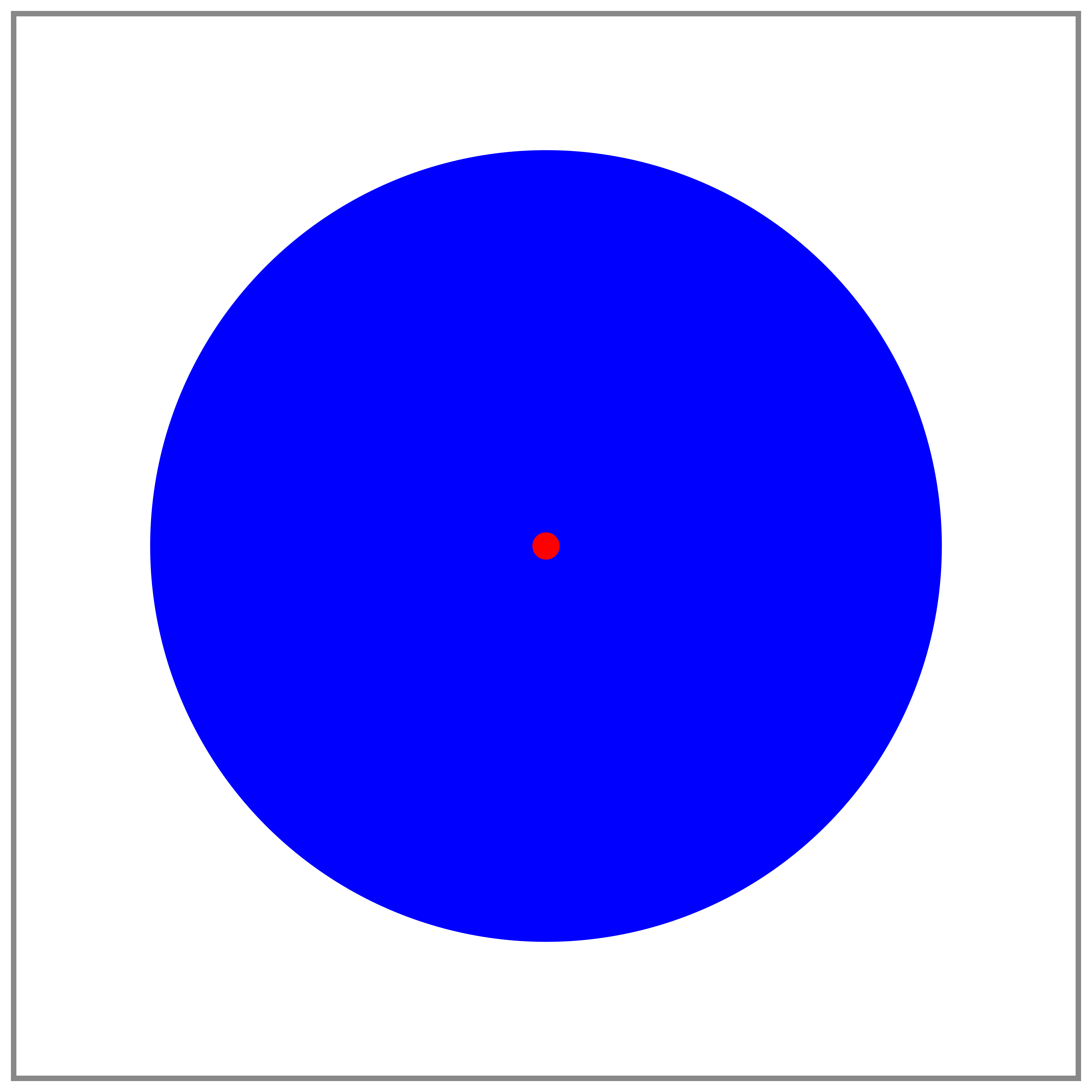
Description: Opera uses the wrong correction for ry for a rectangle with rounded corners, if only rx is given and is too large.
Example:
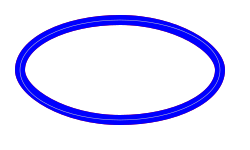
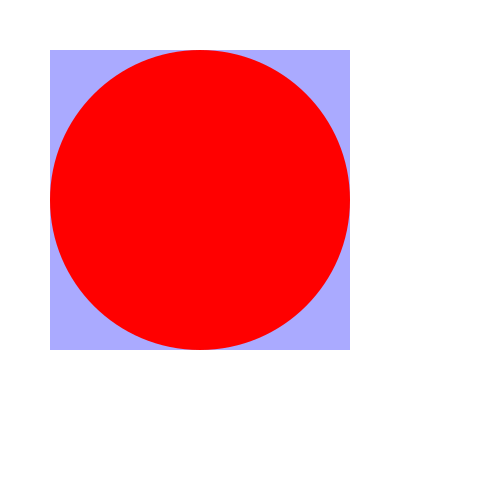
rectangle with rounded corners
A blue rectangle with rounded corners has to be rendered.
According to
SVG1.1 rect element
the following has to be done to determine the correct(ed) values
for rx and ry:
'If a properly specified value is provided for rx but not for ry, then the user agent processes the 'rect' element with the effective value for ry as equal to rx. If a properly specified value is provided for ry but not for rx, then the user agent processes the 'rect' element with the effective value for rx as equal to ry. If neither rx nor ry has a properly specified value, then the user agent processes the 'rect' element as if no rounding had been specified, resulting in square corners. If rx is greater than half of the width of the rectangle, then the user agent processes the 'rect' element with the effective value for rx as half of the width of the rectangle. If ry is greater than half of the height of the rectangle, then the user agent processes the 'rect' element with the effective value for ry as half of the height of the rectangle.'
In this case the final results are rx="100" and ry="50".
Opera uses ry="100" too, this is just the first half of the correction - the
result is not the expected ellipse indicated in thin light gray or the
related rectangle given in red.
Comment: Ok in the adobe plugin, in KSVG1, inkscape... Wrong since Opera9 beta 2, ok in Opera 9 beta 1. bug-294478.
fixed in 9.50 alpha (build 1629)
Severity: specification violation SVG tiny 1.1 for Opera 9.50 alpha; regression compared with Opera 9.0x, 9.1x, 9.2x.
Description: animateTransform of type skewX/Y not cumulative
Example:
cumulative animateTransform skewX/Y
Test whether animateTransform of the type skewX/Y is
cumulative or not.
Red indicates an error.
Comment: bug-285858, not send by me.
fixed in 9.50 alpha (build 1567)
Severity: specification violation SVG 1.1.
Description: If some textPath elements are used within one text element, Opera adds an additional offset to the following text of the next textPath within the text element.
Example:
textPath elements in one text element
Three texPath elements for blue text are in one
text element. The difference in the paths is only
an offset in the y direction. No startOffset is given.
Therefore the three text fragments are on the
paths given in black and starting at the left.
Underlying red text show the correct positions for
comparison.
Comment: ok with the adobe plugin, KSVG1, Gecko1.8, Inkscape. bug-278846
fixed in 9.50 alpha (build 1567)
Severity: specification violation SVG 1.1 tiny.
Description: accumulate sum has influence on not repeating animateTransform rotate. (Regression compared with Opera 9tp1. No animation in Opera8.x, wrong since Opera9tp2) .
Example:
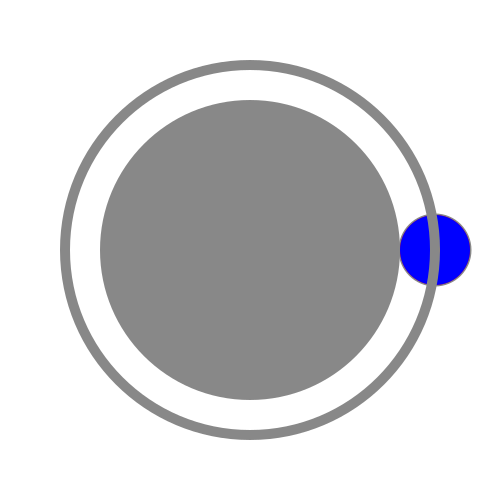
animateTransform rotate with accumulate but without repetition
The attribute accumulate cannot have influence on a non repeating animation.
In Opera it has for animateTransform rotate. The blue test circle has another behaviour as the two red
comparisions, showing correct behaviour without accumulate attribute or
decomposed in three animateTransform.
Comment: ok with the adobe plugin and with Opera9tp1. bug-265720.
fixed in 9.50 alpha (build 1567)
Severity: specification violation SVG 1.1 tiny.
Description: set or animate animations are not removed for pathLength in Opera9 after the active duration if no static value is given.
Example:
pathLength set or animate
If the red path with explicitely given static pathLength is not always
covered with the blue path without explicitely given static pathLength,
and error has occured. bug-269203.
fixed in 9.50 alpha (build 1567)
Severity: specification violation SVG 1.1 tiny.
Description: stroked path fragments are not displayed if they are behind a subpath with zero length.
Example:
simple stroked paths
A path with length zero has to be painted as
a circle, if stroke-linecap is round.
The blue paths cover the red paths completely.
Opera does not display the path fragments of zero length (already reported as bug-196705)
and additionally does not display the path fragments behind this point (new).
Comment: ok with die adobe plugin. bug-260792.
In Opera9.50 alpha the problem with the following path fragment is solved, not the
display of the path fragments of zero length itself, but this is bug-196705.
fixed in 9.50 alpha (build 1567)
Severity: specification violation SVG 1.1 tiny.
Description: wrong font-size with stroke="none".
Example:
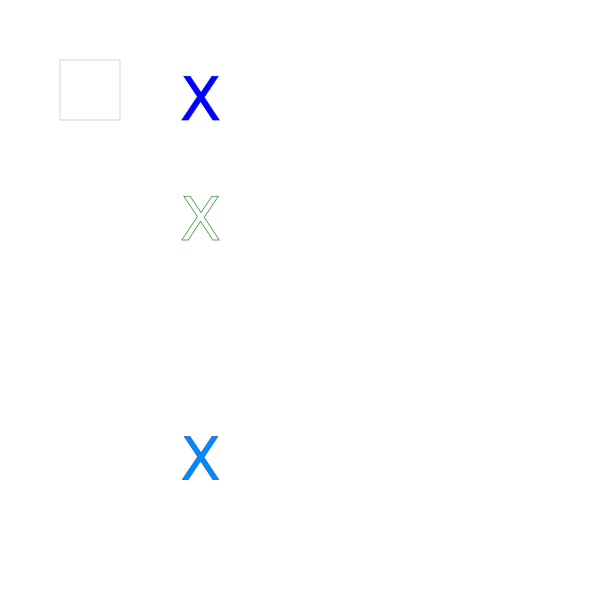
font-size and stroke="none":
Different X with the same size but different fill and stroke and stroke-width are
compared. With stroke="none" there is a wrong huge red X in Opera9, this should be
hidden behind a cyan one completely. A gray square with the same size as the
font-size is given for comparison.
Fits to bug-227771, not send by me.
fixed in 9.50 alpha (build 1567)
Severity: specification violation SVG 1.1 tiny
Description: Opera 9 does not inherit events for some special situations with use.
Example 1:
use and events
A gray rectangle on the left with a blue stroke is referred by a use element.
With a mouseover/mouseout the fill is set to dark blue.
The fill of the other light blue rectangle on the right is set to
dark blue with a mouseover/mouseout of the use element.
Example 2:
use and events
A rectangle with a blue stroke is referred by a use element.
With a mouseover/mouseout the stroke is set to light blue.
The fill of the rectangle is set to dark blue with a
mouseover/mouseout of the use element.
Comment: The adobe plugin and Opera9tp1 changes only the fill of the right rectangle of the first example, this is the other variant of the same error. In the second example the order of the set animations is changed and there the respective event is ignored. bug-227464.
fixed in 9.50 alpha (build 1567)
Severity: specification violation SVG 1.1 tiny
Description: Opera 8 and 9 all builds do not display text if title element or a comment inside before text content.
Example:
text with title, desc or comment
Opera does not display text, if the title element or a comment is directly before the text.
If blue text is red an error is occured.
Comment: works for example with the adobe plugin or with KSVG 1. bug-227467.
fixed in build 419
Severity: Crashes with Opera 8 and 9 up to 9.01 (400).
Description: Some combinations of nasty animateTransforms crash Opera.
Examples:
crashing Opera 9.01
(show source code)
crashing Opera 8 and 9
(show source code)
The second examples has a few seconds entertainment before crashing - maybe a hint,
why it happens. Originally I reduced it to the first example, but maybe the second
contains more information about the error - maybe an owerflow for large or indefinite
numbers in transformed objects (skewX=90)? bug-227466.
fixed in 9.50 alpha (build 1567)
Severity: specification violation SVG 1.1 tiny and SMIL
Description: min attribute wrong interpreted.
Example:
min attribute in a simple animation
Simple from to animations for cx and cy of a
circle are used with min attributes and correlated
with syncbase values.
The gray path gives the correct trajectory.
If something red becomes visible, an error
occured.
Opera 9 repeats the animation until the min values is reached, but the user-agent
has just to correct the active duration to the min value without any visible effect for the
related animation. The effect becomes only visible for the correlated animations
in this case. There is no reason to repeat.
Combined with the end attribute there are some more errors.
See SMIL animation recommendation (or the same behaviour but better desription
in SMIL 2.1) about the min attribute and the determination of the active duration
of an animation.
Comment: See related (bug-185987) min and max.
bug-229915
fixed in 9.50 alpha (build 1567)
Severity: specification violation SVG 1.1 tiny
Description: wrong final value for frozen cumulative animateMotion.
Example:
accumulative animationMotion:
Two circles are moved along squares given with
values, repeatDur and accumulate with a duration of 15s and repetition.
If the red center of the circle becomes visible, an error
occured.
Opera has a wrong final value for the frozen cumulative animateMotion.
Comment: Ok with the adobe plugin. bug-229920.
fixed in 9.50 alpha (build 1567)
Severity: specification violation SVG 1.1 tiny.
Description: If an element inherits none as a value for stroke-dasharray, the animation of this property for this element is ignored. Regression compared to Opera9tp1. Wrong since Opera9tp2.
Example:
animated stroke-dasharray:
A rectangle inherits the stroke-dasharray from
a g element. But the properties is animated for the element
directly. This overwrites the inherited underlying value 'none'.
Opera does not animate stroke-dasharray, the rectangle is alwayse stroked completely.
bug-229923
fixed in 9.50 alpha (build 1567)
Severity: specification violation SVG 1.1 tiny.
Description: Wrong inheritance for stroke-dasharray. Slightly different hehaviour in different builds from Opera8 or Opera9, but always wrong.
Example:
inheritance of stroke-dasharray tested:
Inheritance of stroke-dasharray is tested.
Correct result: One blue line, no RED visible!
Opera seems to inherit the stroke-dasharray more or less from the previous element not from the
parent element.
Comment: stroke-dasharray in Opera (and the specifications) is an annoying nightmare -
authors can rely to be fooled either by the viewers or the specifications, if they try to use it.
Ok in SeaMonkey/Firefox (Gecko1.8), Inkscape, KSVG1 and almost ok in the adobe plugin,
wrong in Amaya9.51, Gimp, imagemagick and several others...
The next bug (bug-229923) is maybe related. bug-230510
fixed in 9.50 alpha (build 1567)
Severity: crashes/freezes Opera9 (tested with builds 434 and 466).
Description: A combination of small values in stroke-dasharray and huge pathLength crashes/freezes Opera.
Example:
stroke-dasharray and huge pathLength
(show source code):
The combination of small values in stroke-dasharray and a large pathLength
crashes/freezes Opera9 (tested with build 434 and 466).
Of course, this example is not very useful, similar crashes occured with much more
complex dynamic generated files using PHP - calculating the huge trajectory of
chaotic attraktors - numeric solutions of differential equations. Because the
attractor is chaotic and sometimes divergent, the trajectory can get very long,
if stroke-dasharray is animated to get the visible effect of the real-time
painting of the trajectory pathLength is used. This crash situation may occur if
authors test their number-cruncher scripts, hopefully not in tested applications
anymore.
In general if an author tries to animate trajectories or tries to display approximations
of fractal curves or something like this (with a fractal dimension larger than 1),
the pathLength can become very long in a finite area of a SVG document.
bug-236385
fixed in 9.50 alpha (build 1567)
Severity: Crashes Opera9 since tp1.
Description: calcMode paced for the animation of the d attribute of a path crashes Opera9 in all builds. Since build 419 Opera is just frozen - not really an improvement...
Examples:
crashing Opera 9 with a paced quadratic path animation
(show source code)
crashing Opera 9 with a paced qubic path animation
(show source code)
Ok - calcMode paced is for paths not really defined in SVG1.1,
because there is no distance definition in SVG1.1 and the distance
definition of the SVG1.2mobile working draft is quite useless and inconsistent with SMIL,
but this is no reason to crash, as Opera9 does in all builds since
tp1. bug-223683.
Animation ignored in Opera9.50 alpha. This is ok, because there is no specified
behaviour for such a paced animation.
fixed in 9.50 alpha (build 1567)
Severity: Severity: specification violation SVG 1.1 tiny and SMIL animation
Description: Opera starts an animation containing only end values before begin.
Example 1:
end before begin
The radius of a circle is animated with a
duration of 20s after 3s with the begin value,
the given end value is already 0s.
This results in no animation, because
the end-value before begin without any
end value after begin prevents the animation
from starting.
If something red becomes visible, an error
occured.
Comment: The behaviour of the adobe plugin or of KSVG1 is wrong too. My primary understanding of this situation was consistent with the behaviour of the adobe plugin, KSVG1 and Opera, but after a discussion in the SMIL mail archive it turned out, that this behaviour is wrong. Another misunderstanding is suggested by a wrong informative test about restarting and event based begin and end values. bug-227463.
fixed in 9.50 alpha (build 1567)
Severity: specification violation SVG 1.1 tiny, full or basic.
Description: Opera9 (all builds since tp2) ignores some values of a values-animation of xlink:href, if there is some white space near the semicolon separators.
Examples:
values-animation of xlink:href of use (tiny),
values-animation of xlink:href of tref (full):
Using the use or tref element it is counted from 0 to 9 with repetition.
Each second one count. All text is blue. If red text gets visible, an error
occured, because the red text is always and completely covered by
the same text in blue. If not all numbers are counted or the counting
stops, is an error occured, this is not always reproducable.
Sometimes it needs several attempts to stop the counting with Opera.
Why Opera stops is not clear.
The main error is anyway, that Opera does not display some identifiers,
if there is additional white space, as allowed by SMIL animation
recommendation 3.2.2:
'Leading and trailing white space, and white space before and
after semicolon separators, will be ignored.'
Comment: No problem with the adobe plugin. bug-223004.
fixed in build 395
Severity: Crashes Opera9 since tp1 or tp2.
Description: If a pattern is referenced in such a way, that it has do be applied directly or indirectly to itself, Opera9 crashes.
Minimal example
(Crashes since Opera9tp1,
show source code).
This does not happen, if the pattern is applied to a rectangle inside the pattern:
No crash with smaller changes.
But a little bit more complex it crashes again:
some recursive loop
(Crashes since Opera9tp2,
show source code).
This does not happen, if the patternContentUnits are objectBoundingBox:
recursive loop without a crash
(Opera renders the recursive part in black).
Comment:
Of course there is not way, to render these recursive pattern correctly, this seems to be a gap
in the SVG specification. Anyway a viewer should not crash. With similar examples KSVG1 has
similar problems. Most other browser I tested or if the viewer does not crash do not render
the complete recursive pattern or just not the recursive path.
Open question: Are there more crashes in similar situations with symbol, marker, mask, clip, use
defined recursively? I did not test this yet. bug-220838.
fixed in build 387
Severity: specification violation SVG 1.1 tiny (regression compared to Opera9 up to build 300).
Description: wrong animation of stroke-dasharray. Wrong stroke-dasharray in animation since build 320 including Opera9.00 (build 344) and later builds. Previous builds have just minor painting problems in the edges, but animate correct.
Example:
animation of stroke-dasharray:
Light gray is the initial stroke-dasharray, medium gray
the final with other stroke-width and dark gray is
the final value with the same stroke-width. bug-216714.
fixed in 9.50 alpha (build 1567)
Severity: specification violation SVG 1.1 (regression compared to Opera9 up to build 300).
Description: no horizontal turbulence or no display (since build 387) if baseFrequency of feTurbulence is animated. Wrong since build 320 including Opera9.00 (build 344) and later builds.
Example:
animate baseFrequency of feTurbulence:
baseFrequency of feTurbulence is animated
in 10s starting after 2s, resulting in several images. bug-216716.
fixed in 9.50 alpha (build 1567)
Severity: specification violation SVG 1.1 basic and full (regression to compared Opera9 up to build 300).
Description: no display if stdDeviation of feGaussianBlur is animated. Wrong since build 320 including Opera9.00 (build 344) and later builds.
Example:
animate stdDeviation of feGaussianBlur:
stdDeviation of feGaussianBlur is animated after 3s for 30s and is frozen.
The initial stdDeviation is .04 .04. The values are:
0.2 0.1; 0.1 0.2; 0.05 0.07; 0.01 0.02; 0.003 0.00001; 0 0; 0 0; 0.01 0.02; 0.1 0.1; 0.3 0.2; 0.4 0.3; 1 2; 5 3.
The width of the graphic is 1 for comparison. bug-216717.
fixed in 9.50 alpha (build 1567)
Severity: specification violation SVG 1.1 (regression compared to Opera9 up to build 300).
Description: no display if radius of feMorphology is animated. Wrong since build 320 including Opera9.00 (build 344) and later builds.
Example:
animate operator and radius of feMorphology:
operator and radius of feMorphology are animated.
First operator is erode and radius is animated from
1 1 to 10 5 in 10s starting at 2s.
Then operator is set to dilate and the
animation of radius is repeated. bug-216718.
fixed in build 387
Severity: specification violation SVG 1.1 basic or full (regression compared to builds earlier as 272).
Description: fill without stroke for tspan ignored by Opera9 since build 272.
Example:
tspan property fill:
The initial 't' of the large 'text' is set to fill="#00f" with a tspan.
Since build 272 the fill is only blue, if the stroke is given too. Just for
testing this can be done here with hover or click on the 'text'. bug-212136
fixed in 9.50 alpha (build 1567)
Severity: specification violation SVG 1.1 basic or full.
Description: use inside mask element ignored
Example:
use inside mask element:
A mask element and a path referenced by a use elements
are chosen to define a mask for the same path to be
painted. The visual effect of the animation is, that
for 3s only the outer part of the stroke is visible and
for the other 3s just the inner part including fill, for
another 3s no mask is used.
Click object to set stroke to none for 3s.
Opera does not display the path referenced with use for the
first 3s, but is able to use the path if directly used for masked.
Specification says, that use is an allowed child of mask.
Comment: works with the adobe plugin. bug-214538.
fixed in 9.50 alpha (build 1567)
Severity: specification violation SVG 1.1 basic or full.
Description: use inside mask element ignored
Example:
use inside mask element:
A mask element and a path referenced by a use elements
are chosen to define a mask for the same path to be
painted. The visual effect of the animation is, that
for 3s only the outer part of the stroke is visible and
for the other 3s just the inner part including fill, for
another 3s no mask is used.
Click object to set stroke to none for 3s.
Opera does not display the path referenced with use for the
first 3s, but is able to use the path if directly used for masked.
Specification says, that use is an allowed child of mask.
Comment: works with the adobe plugin. bug-214538.
fixed in 9.50 alpha (build 1567)
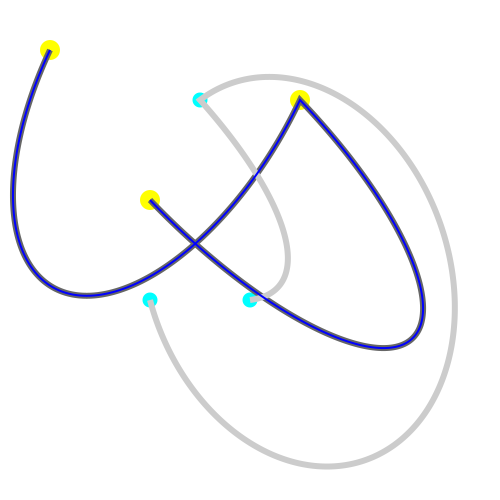
Severity: specification violation SVG 1.1 full (regression compared to Opera 9 up to beta1).
Description: Opera9 build 256 does not animate an elliptical arc path continuously, later builds have a wrong continuous animation. Build 320 only displays the final path at the end. Regression compared to builds up to beta1 (236).
Example 1:
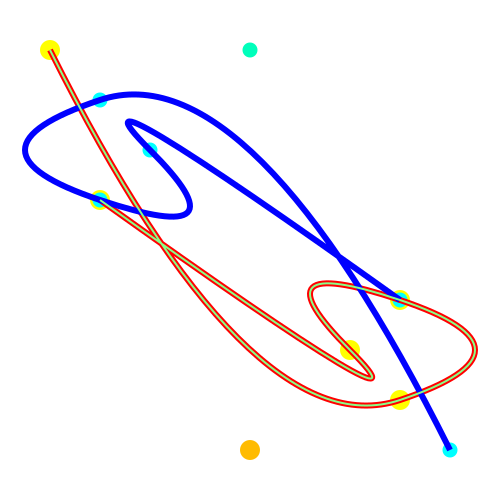
animation of an elliptical arc path:
animate animation test of a specific attribute of the path-element:
d (represented by a blue curve)
changes from the dark gray curve to the light gray curve in 10s.
The yellow and orange circles belong to the initial
curve and the cyan and cyan-green circles belong
to the final curve.
d contains the commands M, A, a
corresponding to elliptical arcs.
The same flags are used for easier animation.
The animated path is constructed with two elliptical arcs paths, therefore it has
exactly two ends and one corner where the two arcs join together.
Builds 272 and later have more corners, initial and final path are correct, but the
animation between is nonsense, consisting of four (?) elliptical arcs.
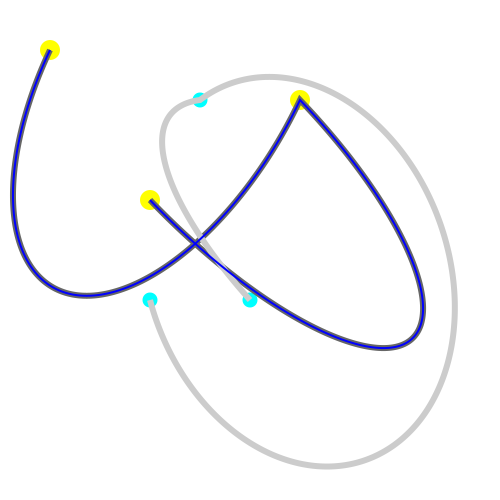
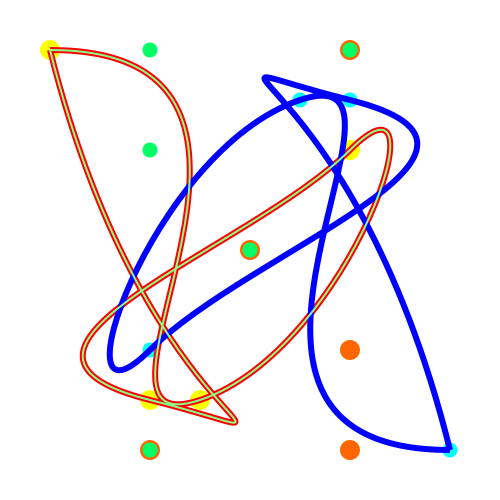
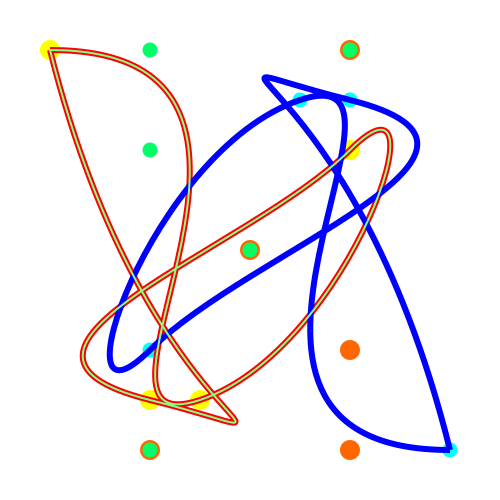
Example 2:
animation of an elliptical arc path:
animate animation test of a specific attribute of the path-element:
d (represented by a blue curve)
changes from the dark gray curve to the light gray curve in 10s.
The yellow and orange circles belong to the initial
curve and the cyan and cyan-green circles belong
to the final curve.
d contains the commands M, A, a
corresponding to elliptical arcs.
The animated path is constructed with two elliptical arcs paths, therefore it has
exactly two ends and one corner where the two arcs join together.
Builds 272 and later have more corners, initial and final path are correct, but the
animation between is nonsense, consisting of four (?) elliptical arcs.
Note that flags are changing between 0 and 1 because these are integers, their
animations is discrecte, causing a simple jump. The other parameters are animated
continously.
Comment: This regression is a little bit surprising. Ok, this is not tiny or basic, but worked already pretty good in several builds and the documentation claims, that the path element is supported. bug-211231.
fixed in 9.50 alpha (build 1567)
Severity: specification violation SVG 1.1 tiny (in parts regression compared to Opera9tp1)
Description: Opera9 (tp2 and later) has a wrong interpretation of animateTransform using by. The animation is not additive.
Example 1:
animateTransform using by:
A blue circle is moved from right to left in 5s
using animateTransform with the by attribute.
Because for by the animation is additive, the
initial transformation is not overwritten.
If the red circle gets visible, an error occured.
Example 2:
animateTransform using by:
A blue square and a test text are transfomed with a matrix.
After 3s an additive animateTransform with a scale by -1.5,-1.5 and
a duration of 10s and calcMode linear is applied to the blue group.
This means, after 3s the group morphes to a mirrored
group.
matrix itself is not animatable, but it is the underlying
value for the animateTransform.
If a red group becomes visible, an error occured.
(not animated in Opera 8 and 9tp1)
Comment: Note, that for these examples the animation is the same as an additive from-by-animation with
the identity matrix as the value of the from. First example ok with the adobe plugin, the second is wrong too
with the adobe plugin, this uses the zero matrix as the initial value of the animation.
There are some problems with animateTransform in the working draft of SVG1.2 mobile for the additive
behaviour of animateTransform. At the moment the working draft is not consistent with SMIL and not
self consistend. Anyway the given situation for SVG1.1 (full, basic, tiny) is quite clear with the current
specification, therefore this examples for SVG 1.1 have a well defined behaviour.
The problems with the working draft are already reported to the W3C SVG working group. bug-212139.
fixed in 9.50 alpha (build 1567)
Severity: specification violation SVG 1.1 basic or full
(Styling with CSS is optional in the basic profile)
Description: Opera9 beta1 and later versions animate the class attribute wrong. In the Opera Documentation of Opera 9 beta it is claimed, that class is supported.
Example 1:
set animation of the class attribute:
The class attribute is changed from s1 to s2
for the top rectangle and from s2 to s1 for the
bottom rectangle after 3 seconds. The displayed
rectangle changes the properties fill, stroke, stroke-width,
opacity, stroke-opacity and fill-opacity.
This means as a visual effect the exchange of the styling
between the top and the bottom rectangle.
Opera shows the rectangles black, this means, the result of the
animation is ignored.
Example 2:
set animation of the class attribute:
The class attribute is changed between two class lists
after 3 seconds. The displayed rectangle
changes the properties fill, stroke, stroke-width,
stroke-opacity and fill-opacity.
bug-208531
fixed in 9.50 alpha (build 1567)
Severity: specification violation SVG 1.1 basic or full.
Description: Opera9 beta1 and later versions do not animate attributes of the mask element
Example 1:
animation of mask:
x, y, width and height are animated within 12s.
This changes mainly the size of the visible part of the masked element.
Example 2:
animation of mask:
maskUnits is animated from objectBoundingBox to userSpaceOnUse after 3s.
This changes mainly the size of the shape as a visible effect.
Comment: Ok in the adobe plugin. bug-208528.
fixed in 9.50 alpha (build 1567)
Severity: specification violation SVG 1.1 basic or full.
Description: Opera9tp2 and beta1 and builds up to 300 display a linear animation of baseline-shift as discrete animation. Build 320 and later ignore the property completely for animation.
Example:
linear animation of baseline-shift:
baseline-shift changes from -100 to 100
in 3s. If something red is getting visible,
an error occured.
Comment: ok with the adobe plugin. bug-206019.
fixed in 9.50 alpha (build 1567)
Severity: specification violation SVG 1.1 basic or full.
Description: Opera9 beta 1 and all builds since tp2 display small negative letter-spacing wrong.
Example:
letter-spacing animation:
letter-spacing changes from -60 to 10 with a duration of 10s.
Final and initial glyph arrangements are given
in gray (for initial just a guess, not calculated).
Comment: ok with KSVG 1 and the adobe plugin. bug-205819.
no crash and no display since build 272
fixed with display in 9.50 alpha (build 1567)
Severity: crashes Opera 9 beta1 and later builds, specification violation SVG 1.1 basic or full.
Description: Opera9 beta1 crashes with text-anchor middle and small negative letter-spacing, build 272 has no display.
Example:
crashes Opera 9 beta1,
(show source code).
bug-205822.
partly fixed in 9.50 alpha (build 1567)
fixed in 9.50 alpha (build 1589)
Severity: specification violation SVG 1.1 basic and full.
Description: Opera 9 beta 1 and later builds, published to be able to support the basic profile does not display a svg document referenced with the image element. Opera 9.50 alpha displays it, but does not animate.
Example:
animated svg document referenced with an image element
The animated SVG svgxy01.svg is referenced with the
image element. The border of the image is given with a blue stroked
rectangle. In the referenced document a blue rectangle and circle is set from top left to bottom right.
bug-205735
fixed in 9.50 alpha (build 1567)
Severity: Specification violation SVG-tiny (regression compared to Opera9tp1).
Description: Opera9tp2 and later builds ignore begin event - clock value for begin, worked already with Opera9tp1. Since build 300 it works for the first event, but if a second event occurs before the animation is finished, not this and no further event lead to an animation.
Simple example:
begin event click - clock value for begin.
The begin of the animation is started 5s before
a click on the circle.
This starts a fill animation from black to white
of 10s duration. Of course the animation can't really
start 5s before the click. This means, the visible
animation has to start with gray and not black.
Opera9tp2 ignores it. In build 1670 it works almost,
but if a second click occurs, when the animation
is running, it stops to work. Ignored since build 181.
Another example:
begin event mouseover - clock value for begin.
The begin of the animation is started 5s before
a mouseover of the circle.
This starts a fill animation from black to white
of 10s duration. Of course the animation can't really
start 5s before the mouseover. This means, the visible
animation has to start with gray and not black.
Opera9tp2 ignores it. In build 1670 it works almost,
but if a second mouseover occurs, when the animation
is running, it stops to work. Ignored since build 181.
Another example:
begin event mousedown - clock value for begin.
The begin of the animation is started with
a mousedown on the circle. This starts a color animation
of 6s duration 3s before the mousedown. This means, the visible
animation has to start with gray and not black.
Opera9tp2 ignores it. In build 1670 it works almost,
but if a second mousedown occurs, when the animation
is running, it stops to work. Ignored since build 181.
Another example:
begin event mouseup - clock value for begin.
The begin of the animation is started 3s before
a mouseup on the circle. This starts a color animation
of 6s duration.This means, the visible
animation has to start with gray and not black.
Opera9tp2 ignores it. In build 1670 it works almost,
but if a second mousedown occurs, when the animation
is running, it stops to work. Ignored since build 181.
Another example:
begin event mouseout - clock value for begin.
The begin of the animation is started 3s before
a mouseout on the circle. This starts a color animation
of 6s duration. This means, the visible
animation has to start with gray and not black.
Opera9tp2 ignores it. In build 1670 it works almost,
but if a second mouseout occurs, when the animation
is running, it stops to work. Ignored since build 181.
Another example:
begin event mousemove - clock value for begin.
The begin of the animation is started 3s before
a mousemove on the circle. This starts a color animation
of 6s duration. This means, the visible
animation has to start with gray and not black.
Opera9tp2, builds 1670 and later builds ignore it.
Comment: First example worked already with Opera9tp1, the same problem with the adobe plugin,
does not work with activate and several other events, which are still completely ignored by Opera.
Reported to Opera as bug-196703.
fixed in 9.50 alpha (build 1567)
Severity: Specification violation SVG-tiny (regression compared to Opera9tp1).
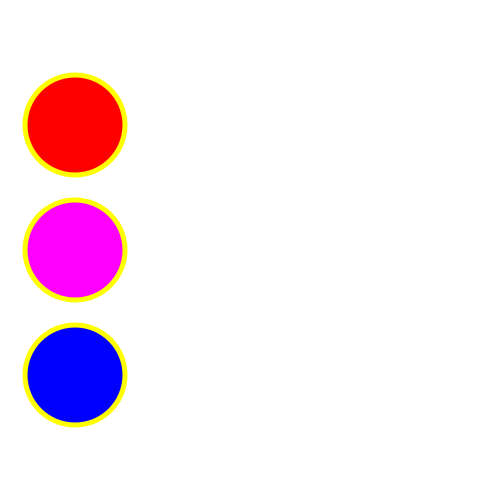
Description: Opera9tp2 and later builds have a wrong interpretation of the activation of set animations with a elements. Opera9tp2 resolves the begin times for the repeated history of animations wrong, if the same animation is activated a second time.
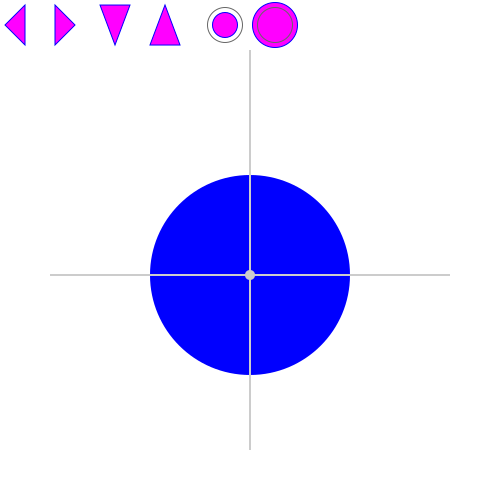
Simple example set:
a elements and set.
With a click on one of the small circles on the top
the colour of a large circle is set.
Note, that a click on one small circle resolves the begin of the relating
set animation. The whole history is repeated after another click on the same
circle.
Opera 9tp2 is able to change the colour with the first click independent for which
colour, but then id works only for one circle right to the one clicked before (later in
the source code). Opera 9tp1 is able to show the correct behaviour.
Simple example animate and history:
a elements and animate.
A click on one of the magenta symbols gives
a by animation for a circle as expected intuitively by the type
of the symbol. fill is set to freeze, therefore the
animations stop at their end points.
Because by animations without from are additive, the start
of an animation depends on the history.
The first click on a symbol resolves the begin time for the
corresponding animation. If the symbol is clicked again,
all animations after the first click have to be repeated with
corresponding begin times.
(see SMIL animation recommendation for hyperlinking rules).
For example: If after one motion the opposite
direction is chosen, the motion starts at the final position
of the previous animation. If the same direction is chosen,
the animation has to start with the initial value for the
first click. This can
be the initial value of the same animation or the
final position of an previous animation in the opposite
direction, depending on the history. Anyway the history
since the last click on the same symbol has to be repeated.
If the animation is started, while itself is already running,
it has to start at the intial value. If it is started, while an
animation in the opposite direction is running, it is
additive, the visual effect is, that it stops until the other
animation is finished.
Animation for different attributes superpose always and
have no influence on each other.
Initial values for horizontal and vertical motions are given
as small circle and lines as a help.
Comment: No Problem with the Adobe plugin.
Reported to Opera as bug-196704 (just the first example).
fixed in 9.50 alpha (build 1567)
Severity: Specification violation SVG-tiny
Description: Opera 8x ignores the attribute keyPoints for animateMotion. Opera 9tp1/2 and later builds ignore it for discrete animations.
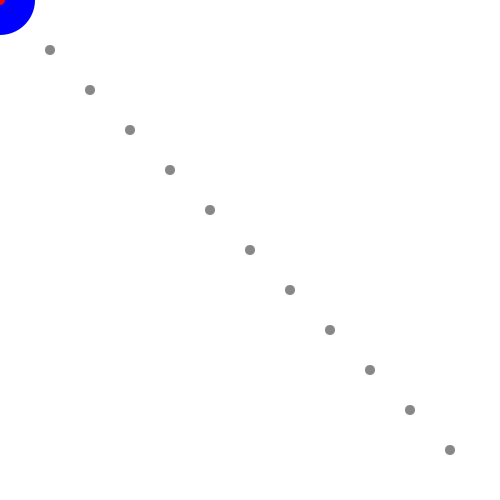
Example 1: animateMotion with keyPoints and calcMode discrete. A discrete animateMotion from left to right is superposed by a discrete animateTranform from top to bottom. keyPoints are given in steps of 10 percent. The duration of the animations is 30s. Gray points display the positions of the discrete animations. If the red center of the circle becomes visible, an error occured.
Comment: Ignored completely by KSVG 1, Opera 8.x and adobe plugin. Many examples seem already to
work with Opera 9tp1, but not with discrete animation for example. bug-229016.
fixed in 9.50 alpha (build 1567)
Severity: Specification violation SVG-tiny
Description: Opera 8x do not animate animations, containing the accumulate attribute. Opera9tp1 animates something, but ignores accumulate too. Opera9tp2 and later builds have still problems with this for animateTransform and animateMotion.
Simple example (ok in Opera9tp2): attribute accumulate. Two small circles are rotated around a big circle with a constant angular velocity with a duration of 5s for 45 degree. This is repeated and the accumulate attribute is set to sum. The red one is a from to animation, the blue one a by animation. The visible effect is in both cases a complete rotation in 40s with indefinite repetition.
Workaround for this simple example to show how it should look like: animated workaround.
Comment: Does not work with KSVG 1 and Opera, but works with adobe plugin. Opera 9tp1 animates, but
ignores the accumulate attribute - not really a progress at all.
Reported to Opera as bug-185986. Just parts are fixed in Opera 9tp2, see next example.
Update for Opera9tp2 -
Simple example animateMotion and accumulate:
animateMotion with attribute accumulate.
Two circles are moved from top left to bottom right
using an underlying value and by with a duration of 5s and a repeatCount
of 8.
The visible effect is a motion along the given gray path completely
without any jumps or changes in velocity.
If something red becomes visible, an error occured.
If something dark red becomes visible, the behaviour for animateTransform is wrong too.
Opera 9tp1 and Opera 9tp2 animate something without taking into account accumulate.
Adobe has some problems with this one too ;o) Build 272: by animation for transform not additive?
One more with animateMotion, animateTransform and attribute accumulate:
Two circles are moved from left to right,
the dark blue one with animateMotion, the light blue
one with animateTransform. Both are
using the same values for
by, accumulate and repeatDur resulting in the
same animation.
If something red becomes visible, an error
occured.
Questions (Opera9 beta 1 and build 256 tested):
Why is animateMotion not animated? Why jumps animateTransform? This example works in build 272!
Update 2006-05-06 after some discussions about and some studies of the SMIL animation recommendation and SMIL2.1/2.0 for the upcoming SVG1.2 mobile some examples are exchanged, resulting in differences in the different SMILs. Note that especially cumulative animations using from unequal zero in SVG1.0/1.1 combined with the SMIL animation recommendation work different as this will happen with SMIL2.1/2.0 and SVG1.2. If the behaviour for accumulative animations from not equal to zero in the first SMIL was meant as a special rule or if it was just an error, is still unclear, therefore authors should avoid accumulative animations with from not equal to zero in SVG1.0 and SVG1.1.
SMIL2.1/2.0 contain some inconsistencies too, I found two accumulative 'from'-examples similar to the
old recommendation with descriptions not fitting to the given formulas (details see desc element):
wrong examples of SMIL2.1/2.0 corrected
and compared - green is a simulation of the descripted behaviour,
blue are the examples from SMIL, magenta serves the same behaviour with a workaround - according
to SMIL, all should have the same visual effect. According to the formuala, only magenta and green
should be the same - again not in Opera, but the behaviour of the magenta animations is well defined
in all SMILs...
Therefore and unfortunately with this studies I got some further error with Opera (tested with 236, 256, 272),
the behaviour of these examples is defined in all SMILs equally:
additive and accumulative animations -
Blue is the test case for by animation, dark blue is the test case with
the same visual effect with values, from="0" and to or by and additive sum,
gray has the same visual behaviour with a simple animation.
If U is the underlying static value of the animated attribute
and f(t) the simple animation function and g(t) the
accumulated animation of f(t) then we get
F(t) = U + g(t) for an additive f(t) like a by animation.
This is tested in 'Test 1' on top.
If r(t) is a replace animation with a lower priority than
an additive f(t) with higher priority, then we get
F(t) = r(t) + g(t).
This is tested in 'Test 2' in the middle.
If an additive animation a(t) with a lower priority than an
additive f(t) with higher priority is used instead of r(t),
then we get
F(t) = U + a(t) + g(t).
This is tested in 'Test 3' at the bottom.
I think, Opera adds the underlying values at each iteration step once
more instead of adding them once to get the final visible animation function F(t).
Note, that the dark blue animations behave as expected, just the by animation uses
the underlying values wrong. In SMIL2.0/2.1 it is mentioned, that
by="value" is the same animation as values="0; value" additive="sum".
fixed in 9.50 alpha (build 1567)
Severity: Specification violation SVG-tiny
Description: Opera 8x do not animate color and ignore this attribute in parts. Opera 9tp2 and later builds have still a problem with this. (Regression in parts compared to Opera9tp1 for the given examples).
Simple example: attribute color.
The color of a g element is set to blue at 0s.
A circle is inside the g element.
The fill of the initially gray circle is animated
with calcMode discrete to currentColor at 1s
and is frozen.
If the animation of the color is ignored, the circle
will be red. If the animation of the fill is ignored, the
circle will remain gray.
An error is occured anyway, if the circle is not
blue after 1s.
Note that it works if set is before animate in the
source code, but because the animate starts 1s after
the set, this is not important for the correct visible effect:
workaround
This may indicate that Opera seems to have sometimes wrong priorities
for animation. Note, that this example already worked almost correct with Opera9tp1 (just the discrete
animation was wrong).
Another example: attribute color.
The fill property of a circle is discrete animated from
none to currentColor to none to currentColor begins with, the repeated duration
is 10s. currentColor is defined by color, animated within 11.1s with the
values all in the blue range.
If something red gets visible, color is not animated.
Note, that this example already worked almost correct with Opera9tp1 (just the discrete
animation was wrong).
In this situation it is not important, how something is mentioned in the source code
for Opera: alternate example version
Comment: The adobe plugin shows the correct behaviour. bug-230191
fixed in 9.50 alpha (build 1567)
Severity: Specification violation SVG-tiny and SMIL animation
Description: Opera 9tp1/8.01/8.02/8.50 ignore the animation attributes min and max. Opera 9 has a wrong interpretation for min (and max).
Simple example: limit the active duration of an animation with min and max. With min respectively max the value of active duration for the blue and the yellow circle is set to 20s deviating from the values of the dur attribute. At the end of the active duration of the animation the color of one of the small circles should be set to the same color as the finished animated circle. An additional circle is set to a red color after 20s. Because of the adequate set of min and max attributes all three small circles should change their color after 20s independently of the visible duration of animation of the big circles.
Workaround for this simple example to show how it should look like: animated workaround.
Update for min and max: interactive test for min
and max attributes.
The height of an rectangle can be enlarged with a click on the
start button and this can be stopped with the stop button. It starts 1s after
the click on the start button.
The duration is 40s, min is 20s, max is 30s with the related size
of the rectangle marked in gray.
This means:
1. The animation can be started or restarted always with a click
on the start button because this is not prevented in the document.
The animation is not repeated itself.
2. If the animation is started and not restarted earlier as it ends
somewhere between the min and the max value.
3. If the stop button is clicked after the animation reached the
max value or never, the animation has already stopped at the max
value and nothing more happens.
4. If the stop button is clicked between min and max the animation
stops immediately.
5. If the stop button is clicked before the animation reaches the min
value, the animation continues and is stopped at the min value.
Opera 9tp2 ignores the min attribute and ignores min and max if
the animation is restarted with a second start or with the
svg-menu with 'pause animation' and 'start animation' - this
gives some additional nonsense with repetitions anyway.
Note that in the newer SMIL recommendations 2.0 or 2.1 this feature
is unchanged, but some additional examples are added, to clearify,
how user agents should behave correctly.
Comment: KSVG 1 and the adobe plugin ignore this attribute completely. But the
correct behaviour is described in detail in the SMIL animation recommendation.
No progress in Opera 9tp1.
Opera 9tp2 does not ignore it anymore, but the duration of the visible effect seems to be extended to min, what is not expected from the
SMIL animation recommendation. min has no influence on the visible display of the target animation, but corrects the active duration value
just for the event list of the animation, if it has to be applied.
Reported to Opera as bug-185987.
fixed in 9.50 alpha (build 1567)
Severity: Specification violation CSS.
Description: This problem does not concern SVG-support directly, it is more or less correlated to CSS capabilities for xhtml-documents. SVG-mobile 1.1 just references SVG 1.1, but with the working-draft mobile 1.2 we can see, it is meant from the start the same. If the browser is able to present raster-image for CSS-background-image and if the browser is able to present SVG, then the browser should present SVG as CSS-background-image. Opera 8x/9x are able to deal with CSS in xhtml and with SVG-tiny (without CSS, this just means, no CSS inside SVG and not no SVG inside CSS!) - so it should be possible, to have a SVG as background-image for the xhtml-document. This does not work.
Simple example: xhtml with CSS defined background-image (SVG-format)
How it should look like: Same with PNG-image.
Comment: Up to now, no browser is able to use SVG as background-image. But this is the
missing link for a really good web-layout with units as em and % and without raster-images.
The scalability is a very important feature for future professional web-layout. Opera can
be the first browser, who can lead to an era of web-layout beyond table-design and px-based
layout from the last millennium. Up to now, this feature is just discussed with mozilla.
Which browser will show us first the future of the web? And for background-images we
don't need full support of svg. For the first step we just need encouragement (bug-reports
will follow, of course ;o)
The specification mentions, that SVG-images should be displayed with (x)html img-element, too.
This does not work with Opera or any other user-agents up to now. Of course,
authors should use the object-element with (x)html with alternatives, if SVG can not be
displayed, so this is not really important, but up to now there is no workaround for the
error with SVG-background-images with CSS, especially because CSS z-index for an object
containing SVG does not work either in Opera8, in Opera9 z-index works with object
and a workaround is possible.
Reported to Opera as bug-174514.
Severity: Crash of builds for example 181, 197, 225, 229, 236, 256 and specification violation SVG 1.1 (full or basic).
No crash anymore with build 272, but still ignored.
Description: Animation of font-size-adjust or font and other unsupported properties crashes several Opera9 versions. Output on konsole: Segmentation fault.
Simple examples:
set animation with font-size-adjust
- works with animate too.
(show source code)
Added further animation crashes, tested with 229: kerning, color-rendering, color-interpolation, shape-rendering, text-rendering, color-interpolation-filters.
Comment: font-size-adjust works with the adobe plugin but font is incomplete. bug-203877.
fixed in build 9tp2
Severity: Specification violation SVG 1.1 tiny.
Description: Opera 8.x and Opera 9tp1 ignore repeat value - clock value.
Simple example:
repeat value - clock value for begin
The begin of the animation of the large circle of a
duration of 3s is started 2s before the second repetition
(repeat(2)) of the animation of the small circle
with a duration of 3s.
The animation of the small circle is repeated 6 times.
Both are color animations.
stroke shows the same animateColor.
If something red becomes visible, an error
occured.
Simple example:
repeat value - clock value for end
A small circle is moved from top to bottom
in 10s, from left to right in 10s, the animations
are repeated.
The begin of the second repetition - repeat(2) - of the horizontal animation
stops the animation of the vertical animation 5s before this event.
Therefore the repetition stops it late at 20s, but because the
active duration is determined by the computed time 15s, the frozen value
is determined with the computed time interval, resulting in a switch back to the
middle. This means after a movement from
top left to bottom right two times the animation is changed to
a movement from middle left to middle right.
If something red is getting visible, an error occured.
Comment: bug -201909.
fixed in build 320
Severity: specification violation SVG 1.1 basic or full.
Description: Opera9 beta1 and later versions do not animate the mask property to none. beta 2 has additionally a wrong animation of the mask property, build 300 does not animate the property.
Example 1:
animation of the mask attribute to none:
The mask property is animated from a mask to none after 3s.
Example 2:
animation of the mask attribute:
The mask property is animated between three different shapes in 9s.
Comment: Ok in the adobe plugin. bug-208530.
fixed in build 320
Severity: specification violation SVG 1.1 basic or full.
Description: Opera9 beta1 and later versions do not animate clip-path to none
Example:
set a clip-path to none:
The clip-path property is set from a shape given by a clipPath to
none after 3s. The shape changes to a square.
Nothing happens with Opera9 beta...
Comment: Ok in the adobe plugin. bug-208527.
fixed in build 272
Severity: rendering problem (specification violation only for SVG full).
Description: Opera9 tp2 up to beta1 and build 256 have a strange clipping or overflow behaviour for marker. In the Opera Documentation of Opera 9 beta it is claimed, that markers are supported
Example:
simple marker animation:
markerWidth and markerHeight of the marker element are animated with
a duration of 10s.
Gray markers show the initial and final values.
Opera clips parts of the marker, if animated.
Comment: Ok in the adobe plugin.
fixed in build 300
Severity: specification violation SVG 1.1 tiny (regression compared to Opera8.x, Opera9tp1/2, build 1670).
Description: Opera9 beta1 (and builds 181 and later up to 284) ignores events completely
Example:
starts a colour animation with a click on the circle:
The begin of the animation is started with
a click on the circle. This starts a colour animation
of 3s duration.
More examples:
begin events
end events
Comment: Surprise! Seems to work, if java-script is activated, but this has nothing to do with scripting...
Works up to build 1670. bug-206378.
fixed in build 272
Severity: specification violation SVG 1.1 tiny (regression compared to Opera8.x and Opera9tp1/2).
Description: Opera9 beta1 (and builds 181 up to 256) ignores attribute additive for animateMotion
Example 1:
additive animateMotion:
Two circles are moved from top left to bottom right
using two animateMotion, one from left to right, one from top to bottom, both with
from and to with a duration of 30s and repetition.
The visible effect is a motion along the given gray path.
If the red center of the circle becomes visible, an error
occured.
Example 2 (more complex):
animateMotion with keySplines and additive sum:
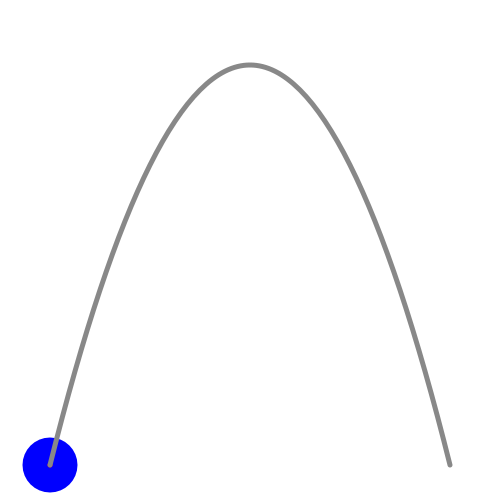
A motion with a constant force, for example in the gravitation-field
of the earth close above the surface (not in space and without friction)
can be simulated with spline calcMode, from, to and
keySplines exactly. The trajectory is a parabola, shown here independently
as a quadratic Bezier curve exactly to enable a precise test of the
spline animation of the blue circle with the red center. The red part is
exactly centered behind the gray path and not visible, if the animation is correct.
The animation is a superposition of two independent motions -
a horizontal motion with constant velocity and
a vertical motion with constant acceleration and an initial velocity unequal zero.
Comment: ok with Opera8.x, Opera9tp1/2 and build 1670, just the accuracy is a little bit low for them in
the second example (but this happens to other realisations of this test case with other animation
elements too, this a general accuracy problem of Opera, this accuracy problem should be solved
independently somehow).
I am not really sure, if the behaviour of rotate is correct for the older versions or
if this is defined by the specification for additive animateMotion.
Fails in builds 181, 225, 229, 256 as in beta1 (build 236) too. bug-206256.
fixed in build 320
Severity: specification violation SVG 1.1 basic or full.
Description: Opera9 beta1 (236 and all later and previous versions) uses the wrong coordinate system for gradientTransform.
Example:
two gradients with gradientTransform:
gradientTransform translate is applied to two linear gradients with the
same visual effect. The linear gradients are applied applied
to two rectangles. For the upper rectangle the gradient uses
gradientUnits objectBoundingBox, the bottom one userSpaceOnUse.
Opera uses the wrong coordinate system for gradientTransform translate with objectBoundingBox.
objectBoundingBox coordinates typical in the order of magnitude 1 have to be used,
not typical values from the coordinate system of the rectangle, the gradient is applied.
The specification notes about gradientTransform:
'
Contains the definition of an optional additional transformation from the gradient coordinate system onto the target coordinate system (i.e., userSpaceOnUse or objectBoundingBox). This allows for things such as skewing the gradient. This additional transformation matrix is post-multiplied to (i.e., inserted to the right of) any previously defined transformations, including the implicit transformation necessary to convert from object bounding box units to user space.'
Comment: ok with the adobe plugin, KSVG, Gecko1.8 or inkscape. bug-206254.
Fixed in build 256.
Severity: specification violation SVG 1.1 basic or full.
Description: Opera9 beta1 ignores animateColor for the property stop-color.
Example:
animation of stop-color with animateColor:
One gradient stop-color is changed from #ffaa00 to #00aaff within 3s,
the other from #0000ff to #ff00aa after 3s within 3s.
No animation with Opera up to build 236.
Workaround: Ironically it works with animate instead of animateColor. This is correct too, but for color animateColors should be preferred -
animation of stop-color with animate:
One gradient stop-color is changed from #ffaa00 to #00aaff within 3s,
the other from #0000ff to #ff00aa after 3s within 3s.
Comment: ok with the adobe plugin. bug-206177.
fixed in build 300, not that this is related to
events ignored completely, 2006-05-02:01
Severity: specification violation SVG 1.1 basic or full (regression compared with Opera9tp2).
Description: Opera9 beta1 and later builds ignore and do not animate pointer-events. Worked already in Opera9tp2.
Example 1:
discrete animation of the pointer-events property:
The pointer-events none, all and visible are tested.
If the text says 'all' a click on the circle will
change the fill of the circle to magenta
for 3s, independent if something from the
circle is visible or not. If the text says 'visbible',
this is just possible, if the circle is visible.
If the text says 'none' nothing happens with a click.
Wether the fill is none or not has no influence on the pointer event.
Example 2:
discrete animation of the pointer-events property:
The pointer-events none, fill and visibleFill are tested.
If the text says 'fill' a click on the fill of the large circle will
change the color of the small circle to magenta
for 2s, independent if something from the large
circle is visible or not. If the text says 'visbibleFill',
this is just possible, if the large circle is visible.
If the text says 'none' nothing happens with a click.
Example 3:
discrete animation of the pointer-events property:
The pointer-events none, stroke and visibleStroke are tested.
If the text says 'stroke' a click on the stroke of the large circle will
change the color of the small circle to magenta
for 2s, independent if something from the large
circle is visible or not. If the text says 'visbibleStroke',
this is just possible, if the large circle is visible.
If the text says 'none' nothing happens with a click.
Example 4:
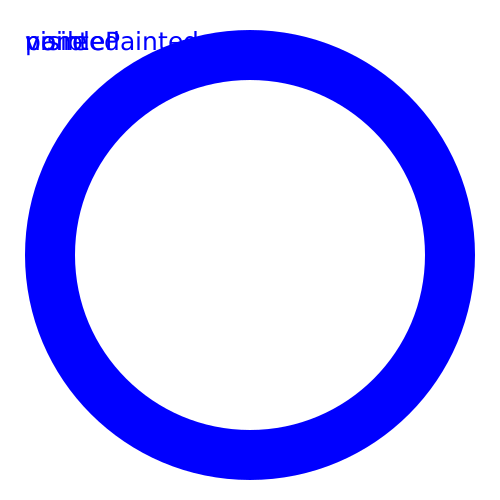
discrete animation of the pointer-events property:
The pointer-events none, painted and visiblePainted are tested.
If the text says 'painted' a click on a painted part of the circle will
change the fill of the circle to magenta
for 3s, independent if something from the
circle is visible or not. If the text says 'visbiblePainted',
this is just possible, if the circle is visible.
If the text says 'none' nothing happens with a click.
If the fill is none, it is not painted, resulting in no pointer event.
Comment: ok with the adobe plugin and in Opera9tp2. bug-206176.
fixed in build 320
Severity: specification violation SVG 1.1 basic or full (regression in parts compared with Opera9tp1).
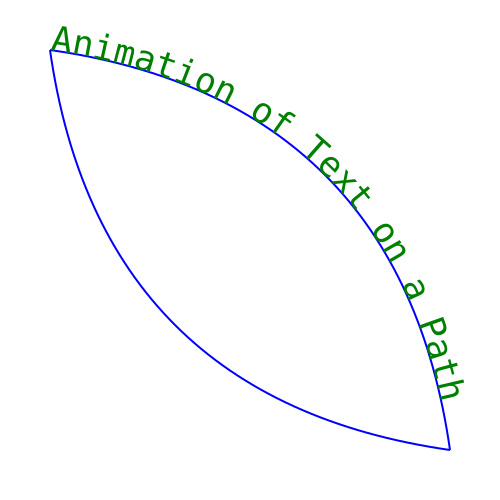
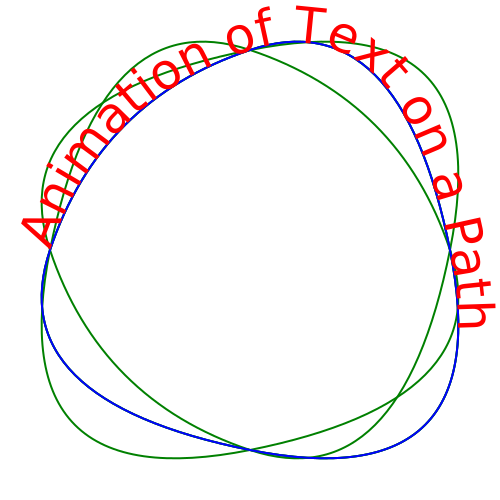
Description: Opera9p2 and beta1 and later builds clip or smear textPath if animated
Example 1:
animation of startOffset:
startOffset of textPath is set from 0 to 1250 after 3s. Did NOT work correct in Opera9tp1, but
Opera9tp2 and Opera9 beta1 clip parts of the text after the animation.
Example 2:
komplex motion of the text on a path:
For the textPath the path morphs between several paths resulting in
a komplex motion of the text on a path starting after 3s. Just minor problems with Opera9tp1,
but Opera9tp2 and Opera9 beta1 clip parts of the text and smear some survivals of text
around (looking nice, but wrong anyway). No smearing anymore since build 300.
Comment: ok with the adobe plugin. bug-206175.
fixed in build 320
Severity: specification violation SVG 1.1 basic or full, regression compared to Opera9tp1.
Description: Opera9tp2 and beta1 and later builds do not animate x and y of tspan.
Example:
linear animation of x and y of tspan:
tspan x and y move from top to bottom in 5.3s and from
left to right in 6s. The animations are repeated.
If something red gets visible, an error occured.
Comment: ok with the adobe plugin and with Opera9tp1 and works with lists for x and y with Opera9tp2 and beta1. bug-206023.
fixed in build 272
Severity: Specification violation SVG 1.1 tiny.
Description: Opera 8.x and Opera 9tp1/2 up to build 256 have a wrong interpretation of keySplines without keyTimes.
Simple examples:
from/to/by animation and keySplines
Four circles move from left to right within 30s,
all of them with calcMode spline, from/to/by and
keySplines. The same keySplines are used as in the
examples of the specification.
According to the SMIL animation recommendation the
correlating keyTimes can be calculated from the user
agent from the values.
The yellow one is the default with konstant velocity or
no acceleration.
The red starts with small acceleration and ends with small
deceleration and has the fastest velocity at 15s.
The magenta starts with a big acceleration and end with
a small acceleration and has the fastest velocity at 0s.
The blue starts with a very small acceleration and ends with
zero acceleration and has the fastest velocity later than 15s.
Just for orientation in space and time, a gray verticval line is
displayed after 15s centered.
Opera 8.x does not animate it, Opera 9tp1/2 ignore keySplines.
Comment: bug -201910.
fixed in build 272 Severity: Specification violation SVG 1.1 tiny.
Description: Opera 8.x and Opera 9tp1/2 up to build 256 do not animateTransform with calcMode paced.
Simple example:
animateTransform and calcMode paced
A small blue circle is rotated around a big circle with
several values.
The duration is 30s and
the calcMode is paced, this results
in a rotation with a constant angular velocity.
For a precision comparison there is a simple from to animation
for a small red circle. If the animation of the small
blue circle is correct, this red circle will not get visible.
If the red one is visible, an error occured.
Opera 8.x displays the animated circle but does not animate it.
Opera 9tp1/2 do not display the animated blue circle.
Comment: No problem with the adobe plugin. bug -201915.
fixed in build 272
Severity: Specification violation SVG 1.1 (profiles basic or full).
Description: Surprisingly Opera9tp1/2 up to build 256 blur a pattern without using any filter!
Simple example:
pattern blurred by Opera9
A black stroked rectangle uses a pattern for fill
consisting fo two coloured circles and rectangles.
The pattern is surprisingly blurred with Opera9
without using any filter!
The pattern is referenced with use elements too
for comparison in the background.
Not finally clarified here:
The positions for the use elements fits in
the Adobe plugin - are they correct?
I think they are correct in the Adobe plugin and
shifted and maybe scaled in Opera9.
Comment: bug -201919.
fixed in build 320
Severity: Specification violation SVG-tiny
Description: Opera 8.x and Opera 9tp1/2 and later builds do not scroll large SVGs completely, with reduction (zooming < 100%) Opera 9tp1 does not display the complete document, maybe this is a hint for wrong clipping of the svg element.
Simple example: Large square SVG with centered circles.
A simple quadratic SVG is given with
width and height with centered circles
and a centered large square.
With Opera it is not possible to scroll the whole SVG.
Use a browser window smaller than 1000px and try zooming too.
With Opera9tp1 additionally with reduction zooming just a part of the SVG is displayed.
Looks like a wrong clipping of the svg element.
Annoying: With Opera9tp1 it is not possible to zoom a SVG, embedded with an object element in xhtml.
Workaround using a viewBox element: Large square SVG with centered circles
Comment: Something similar is already discussed with an invalid document in the beta-testing forum.
Reported to Opera as bug-185978.
fixed in build 320
Severity: Specification violation SVG-tiny
Description: Opera 8.x and 9tp1/2 and later builds have a wrong interpretation of the preserveAspectRatio if the SVG is much larger than the window of the browser. Scaling is not calculated according to the given width and height and viewBox attribute; width and height are scaling with different mysterious scaling factors. Similar is applied with zooming too.
Simple example: Large square SVG with centered circles.
Zoom and preserveAspectRatio:
A simple quadratic SVG is given with
width and height with centered circles.
preserveAspectRatio is set to none and
the given viewBox is a square too.
Use a browser window smaller than 1000px.
Correct display is a group of centered circles.
Opera shows ellipses.
Comment: Reported to Opera as bug-185980.
fixed in build 272
Severity: Specification violation SVG-tiny (and for Opera9 beta 1 and later builds for tspan basic or full)
Description: Opera 8.01/8.02/8.50 have a wrong and fragmentary support of the rotate-attribute of the text-element and do not animate it. Opera 9tp1/2 and later builds have some other problems, described in detail.
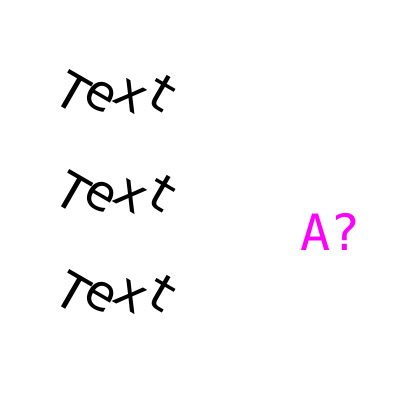
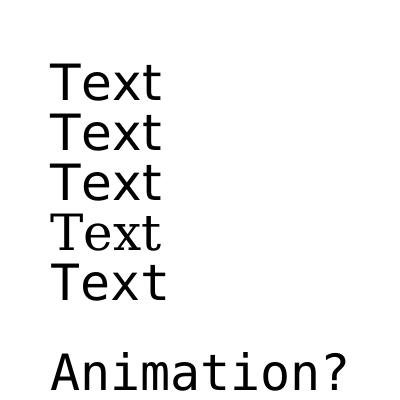
Simple example: rotate a text.
Three times it is written and rotated 'Text' and it should be almost the same. Only the glyph spacing
in the bottom case may differ.
Behaviour of Opera 8: wrong direction of rotation. If just one number for the rotate attribute is given as
in the top example, it is just applied to the first glyph and not to all of the text-element.
The middle example shows rotation of all glyphs giving a value for every glyph, but the direction of
rotation is wrong.
The bottom example uses the transformation attribute to rotate every glyph individually to show
the correct behaviour. Only the glyph spacing may differ.
Does it animate? In principle: yes. But not in Opera 8, this is another error. You can see it on the right: 'A?' should change its rotate-value from 0 to 45 after 3 seconds - but nothing happens.
Comment: In Opera 8 the behaviour is wrong, KSVG 1 and the Geckos ignore the rotate-attribute.
The adobe-plugin shows correct behaviour in the middle example but rotates just the first glyph, if just
one value is given. The animation works too with adobe. Opera 9tp1 shows another error, everything
is rotated around the first letter, something like animations is tried, but the behaviour is wrong.
New fun with Opera 9tp2 - now it is correct for the middle example but the same problem as with
adobe for the top example, but animation works.
Reported to Opera as bug-178255 (just for text).
Severity: Specification violation SVG 1.1 (profiles basic or full).
Description: Opera 9tp2 copies a nested svg instead to move it.
Simple example:
svg copied not moved in Opera9 tp2
Animation of x and y of the svg-element.
This SVG-document contains another embedded svg element
The initial location of the SVG is x=100, y=100.
After 2 seconds it switches to x=300 y=300 by
changing x and y of the embedded svg-element.
The shown circle and the rectangle as the
background move to the right and to bottom.
The initial and the final elements are given as thin gray shapes.
The svg remains in Opera9 tp2 at the same position and a copy is placed in the
new position.
Comment: fixed in Opera9 build 1670. checked against SVG with W3C-Validator.
Severity: Specification violation SVG 1.1 (profiles basic or full).
Description: Opera 9tp2 shows some random noise in a large area outside the radial gradient.
Simple example:
noisy radial gradient in Opera9 tp2
If fx and fy are outside r the user agent has to correct it
in a way that the gradient is always inside the radius r
but with same direction as (fx,fy) both
seen from (cx,cy).
Opera 8.x and Opera 9tp1 show some funny behaviour
without correction and Opera 9tp2 is almost correct but
shows some random noise in a large area outside the
gradient.
The correct display is a small yellow-blue gradient top left
on a blue background. There should be no red and no
visible effect from animation.
Comment: fixed in Opera9 build 181 checked against SVG with W3C-Validator.
Severity: Crashes Opera 9tp1 and specification violation SVG or SVG-basic.
Description: Opera9tp1 crashes if it tries to display the primitve filter feGaussianBlur with a stdDeviation with a similar dimension as the object, it is applied to. No problem with smaller values of stdDeviation or larger areas.
Simple examples:
Crashes Opera 9tp1 -
feGaussianBlur applied to a circle.
(show source code)
Comment: No problem with firefox or the adobe plugin,
checked against SVG-tiny with W3C-Validator.
In general the support of filters in Opera9tp1 is already on a good way, for more errors and a more detailed analysis, see the
Filter tests including animation...
Reported to Opera as bug-191584. Fixed in Opera 9tp2.
Severity: Specification violation SVG-tiny
Description: Opera uses the wrong formula to determine the stroke-miterlimit, this causes wrong rendering, if this property is applied.
Check of the correct behaviour of stroke-miterlimit:
php script to test
the formula and the accuracy of stroke-miterlimit rendering.
A polyline with an angle theta is drawn.
The angle gives a value for the stroke-miterlimit.
For the red polyline the stroke-miterlimit is larger
with a given relative acc(uracy), for the blue polyline it is
smaller. The visible effect is a blue polyline with a
bevel stroke-linejoin, which covers a red polyline
with a miter stroke-linejoin.
With the get value for theta the angle can be
changed, with acc the relative accuracy.
No typ or a not mentioned typ gives a stroke-miterlimit
according to the specification (for example typ 0):
stroke-miterlimit = 1/sin(theta/2)
Wrong formulas just for testing:
typ 1:
stroke-miterlimit = 1/sin(theta)
typ 2 (Opera):
stroke-miterlimit = 0.5/sin(0.5 theta)
typ 3:
stroke-miterlimit = 2/sin(theta)
typ 4:
stroke-miterlimit = ml (get value)
Opera uses the formula of typ 2 with high accuracy but anyway wrong.
The adobe plugin uses the correct formula from the specification, KSVG
ignores stroke-miterlimit, if it is not an integer. Many other user agents
seem to use wrong formulas or ignore stroke-miterlimit.
See behaviour of Opera with the wrong formula..
That the behaviour is wrong, can be clearly seen with angles larger than
90 degrees. To switch the behaviour, Opera needs values below 1 down to 0.5,
not allowed by the specification, but the formula and description of the
specification covers all angles not equivalent to 0.
Reported to Opera as bug-187207. Fixed in Opera 9tp2.
Severity: Specification violation SVG-tiny
Description: Opera9tp1 and Opera8.x ignore the inheritance to the paint property stroke-dasharray.
Simple example: inheritance of the stroke-dasharray. A group of a circle, a rectangle and a line get some stroke-properties. Opera inherits the other properties, but stroke-dasharray seems to be forgotten.
Comment: Ok in KSVG 1 and the adobe plugin, but forgotten in Opera.
Checked against SVG-tiny with W3C-Validator.
Reported to Opera as bug-186669. Fixed in Opera 9tp2.
Severity: Specification violation SVG-tiny
Description: Opera 9tp1/2 and Opera 8.x ignore stroke-linejoin for the initial point of a closed path if combined with stroke-dasharray and uses stroke-linecap instead.
Simple example:
stroke-dasharray and stroke-linejoin.
Two closed paths with stroke-dasharray and stroke-linejoin miter.
stroke-linecap is given too, but this is not applied to closed paths.
stroke-linejoin is not applied to the end of open paths or subpaths.
The initial point of the blue path is top right, the initial point of
the red path is top left.
Because the path is closed, stroke-linejoin has to be applied to the
initial point and not stroke-linecap.
Opera uses stroke-linecap and not stroke-linejoin for the intial point of the
closed path.
Comment: KSVG1, Inkscape have the same error, ok in Gecko/librsvg (error with negative stroke-dashoffset),
the blue path is ok in the adobe plugin, the red one not.
Checked against SVG-tiny with W3C-Validator.
Reported to Opera as bug-186668. No progress in Opera 9tp2. Fixed in 181.
Severity: Specification violation SVG-tiny and SMIL animation recommendation
Description: Opera 9tp1 ignores last value with calcMode discrete, worked already in Opera 8.x
Simple example: animation with calcMode discrete.
visibility changes between visible and hidden all 2s for the large circle.
For the small circle the fill is changed all 4s (green, magenta, yellow).
Both with calcMode discrete. For comparison a set animation for stroke
gives the timing for the first turn with the same colors.
Opera9tp1 ignores the last value, this was already ok for Opera8.x.
See SMIL animation recommendation for details about calcMode discrete.
It is correct not to display the final value for example with calcMode linear, but
not with calcMode discrete, in this mode all values have to be displayed for the same
fraction of dur, if no keyTimes are given.
Comment: No comment ;o)
Checked against SVG-tiny with W3C-Validator.
Reported to Opera as bug-185977. Fixed in Opera 9tp2.
Severity: Specification violation SVG-tiny and SMIL animation recommendation
Description: Opera 9tp1 consumes time for M commands in path for animateMotion and uses wrong pathes, if the path itself is animated and ignores the animated path.
Simple example: animateMotion along some subpaths. Two circles are moved along a path consisting of the subpaths separated with M commands. The duration is 30s and the animation is repeated. Opera9tp1 consumes time for the move with the M command, but according to the specification and the recommendation the user agent has to jump to the next subpath without any time. As far as I understand, before the next M command Opera9tp1 moves back to the starting point of the previous subpath and from there to the new starting point with visible, time consuming continuous animations.
Comment: Worked already with Opera8.x and is ok with the adobe plugin. Checked against SVG-tiny with W3C-Validator.
More tricky example: animateMotion with
animated qubic path.
Two circles are moved along an animated cubic path with
a duration of 30s and repetition.
The animation of the path has a duration of 37s.
The initial path is orange, the final path is blue,
the animated path is thin green.
Opera9tp1 animates the path wrong and uses just the initial value of the path and ignores its animation.
Opera8.x does not animate the path in general.
For wrong animation of paths see also 2005-06-24:03.
Comment: Works with the adobe plugin.
Checked against SVG-tiny with W3C-Validator.
Reported to Opera as bug-185981. Fixed in Opera 9tp2.
Severity: Specification violation SVG-tiny
Description: Opera 9tp1 does not begin an animation with event value + clock value
Simple example: event value click + clock value for begin. The begin of the animation is started 2s after a click on the circle. This starts a color animation of 3s duration. No action with Opera9tp1.
Comment: This is ok in the adobe plugin and was ok in Opera8.x for a click event. The funny thing is, in Opera 8.x event value - clock value did not work, this seems to be corrected in Opera9tp1 for click. Anyway many other event values are ignored by Opera
in general for begin and end, see 2005-09-29:01 too.
Checked against SVG-tiny with W3C-Validator
Reported to Opera as bug-185296. Fixed in Opera 9tp2.
Severity: Specification violation SVG-tiny
Description: Opera 9tp1 ignores animation of x and y of use
Simple example: animation of x and y of use.
Animation of x and y of the use-element.
A defs element contains a g element with a rectangle and
a circle. It is referenced by an use-element.
The initial location of the use is x=100, y=100.
Within 10 seconds it changes to x=300 y=300 by
changing x and y of the use-element.
The shown circle and the rectangle as the
background move to the right and to bottom.
Opera 9tp1 does not animate these attributes.
Comment: This is ok in the adobe plugin and in all Opera 8 versions, but not in the Opera 9tp1.
Checked against SVG-tiny with W3C-Validator
Reported to Opera as bug-185298. Fixed in Opera 9tp2.
Severity: Specification violation SVG-tiny and crash of the browser
Description: Opera 8.01/8.02/8.50 has a wrong interpretation of many values of the end attribute. Instead to stop an animation the browser crashes or terminates. Sometimes this happens immediately, sometimes a reload is needed to crash the browser or the crash is delayed. Similar problems see: 2005-09-25:03 and 2005-06-27:02. Opera 9tp1 ignores such end event values but does not crash anymore.
Simple example: end of an animation with the
event-value click.
width and height of a rectangle is enlarged
in 30s.
The animation can be stopped with a click
on the rectangle.
Similar crashes happen with Opera and event-value + clock-value or event-value - clock-value,
with the event value mousemove, mouseover, mousedown, mouseup, mouseout.
The events activate, SVGResize, SVGZoom, SVGScroll, SVGload, beginEvent, endEvent,
repeatEvent, focusin and focusout are ignored
(for begin, too), errors with other events.
Comment: Can be optimized by malicious people to frustrate Opera 8 users. Fixed in Opera 9tp2 for this case, other end event need to be tested.
Checked against SVG-tiny with W3C-Validator.
Severity: Specification violation SVG-tiny
Description: Opera 9tp1,Opera 8.01/8.02/8.50 ignore lists of values for begin and end
Simple example: animateColor with a begin list.
The begin is a semicolon separated list in
steps of 4s from 0s to 20s for a 3s animation
of the color of a circle.
Opera ignores all value for begin after the first one.
Workaround for this simple example to show how it should look like: animated workaround.
Comment: Ignored completely by KSVG 1, wrong in Opera but works already with the adobe plugin.
Checked against SVG-tiny with W3C-Validator.
Reported to Opera as bug-186674. Fixed in Opera 9tp2 (not tested for end).
Severity: Specification violation SVG-tiny
Description: Opera 8x confused by syncbase value - clock value for begin, crashes when stopped. Wrong animations for Opera 9tp1.
Simple example: animateColor with a begin syncbase value.
syncbase-values are tested for the begin attribute.
The color animation of the bottom circle starts 2s before
the animation of the top ends. The color animation of
the top circle animation starts at 0s. All dur values are 5s.
The stroke has the same animateColor with a simple offset for begin.
Opera 8 shows wild color oscillations of the top circle and crashes when stopped.
Comment: No animation at all or for the bottom circle with KSVG 1 and the adobe plugin, wrong in Opera.
In Opera 9tp1 the top circle has just the wrong begin. Fixed in Opera 9tp2
Severity: Specification violation SVG-tiny and crash of the browser
Description: Opera 8.01/8.02/8.50 has a wrong interpretation of many values of the end attribute. Instead to stop an animation the browser crashes or terminates. Sometimes this happens immediately, sometimes a reload is needed to crash the browser or the crash is delayed. On windows the crash comes immediately and very is relyable (tested there with windows 98 and Opera 8.50). Opera 9tp1 ignores end syncbase values.
Simple example: end of an animation with a
syncbase-value.
Two animations are correlated with an end syncbase-value.
The end of one animation ends the other after 2.5s.
Similar crashes happen with Opera and syncbase-value + clock-value or syncbase-value - clock-value.
Comment: Can be optimized by malicious people to frustrate Opera 8 users.
Checked against SVG-tiny with W3C-Validator. Fixed in Opera 9tp2.
Severity: Specification violation SVG-tiny
Description: Opera 8.01/8.02/8.50 have a wrong interpretation of x and y attributes of the text element, if lists of values are given and do not animate them correctly.
Simple example: animate x and y of text.
Set animation of specific attributes of the text element.
For each glyph of the abbreviation 'SVG' a value in a list of
the x and y attribute is given. These lists are animated each 2s
starting at 3s, resulting in animation of each single glyph between
different values.
The initial value is 'GSV' and the final value is 'SVG'.
For S and V Opera has the wrong glyph positions and does not animate it.
Workaround for this simple example to show how it should look like (timing fits not exactly): animated workaround.
Comment: Does not work with KSVG 1 and Opera 8.x, but works with adobe plugin. Fixed in Opera 9tp1.
Checked against SVG-tiny with W3C-Validator.
Severity: Specification violation SVG-tiny
Description: Opera 8.01/8.02/8.50 problems with animation of the fill attribute
Simple example: animate fill attribute. The fill attribute of the circle bottom right is discrete animated from none to yellow to none to yellow and so on, begins with the set to yellow with a begin 3s, the repeated duration is 10s.
Workaround for this simple example to show how it should look like: animated workaround.
Comment: Does not work with KSVG 1 and Opera, but works with adobe plugin. Fixed in Opera 9tp1.
Checked against SVG-tiny with W3C-Validator.
Severity: Specification violation SVG-tiny
Description: Opera 8.01/8.02/8.50 do not animate text-anchor and have errors in combination with attribute viewBox in the svg-element.
Simple example: attribute text-anchor. It shows from top to bottom the values start, middle, end and an animation. If in the SVG-element height and width dimensions fit to the viewBox, text-anchor works. If it does not fit, Opera is in error, correct scaling with the viewBox seems to have been forgotten (note: The scaling between width/height and viewbox is a factor of two and the displacement of text-anchor is of the same amount). Animation does not work, too. It should switch the text-anchor after 3s and 6s from middle to end to start. Just for orientation: the small red circle give the text-positions.
Workaround for this simple example to show how it should look like: animated workaround.
Comment: Works correct in KSVG 1 and the adobe plugin. Fixed in Opera 9tp1.
Checked against SVG-tiny with W3C-Validator.
Reported to Opera as bug-178256.
Severity: Specification violation SVG-tiny
Description: Opera 8.01/8.02/8.50 ignore the animation attribute restart.
Simple example: restart an animation.
With a click on one of the three circles, the user
can try to restart its animation. This should not
be possible for the red one. The magenta circle
should be just restartable, if its animation is
already finished at the right border. The animation
of the blue circle should be always restartable.
Opera ignores this attribute and uses the default.
All animations are always restartable.
Comment: KSVG 1 ignores this attribute, too. With the adobe-plugin it can be seen, how it should work.
Fixed in Opera 9tp1.
Checked against SVG-tiny with W3C-Validator.
Reported to Opera as bug-178257.
Severity: Specification violation SVG-tiny and curious behaviour
Description: Opera 8.01/8.02/8.50 have different generic font-families in SVG and xhtml/css and some different generic font-families show the same font in SVG. And the font-family attribute does not animate.
Simple example: generic font-families in SVG. From top to bottom it is shown sans-serif, cursive, fantasy, serif, monospace. The shown fonts are not the same as in xhtml/css: generic font-families in xhtml/css. Some of the SVG-fonts are the same. Why?
Does it animate? In principle: yes. But not in Opera, this is another error. You can see it bottom right: 'Animation?' should change the font-family from monospace to serif after 2 seconds and then to sans-serif after another 2 seconds - but nothing happens.
Comment: It is not completely correct in the adobe-plugin, too. But there we can see animation of this
attribute. The same for KSVG 1. No progress in Opera 9tp1. Fixed in Opera 9tp2.
Checked against SVG-tiny with W3C-Validator.
Severity: Specification violation SVG-tiny
Description: Opera 8.01/8.02/8.50 do not animate width and height of the svg-element.
Simple example: After 2 seconds the
size of the SVG is doubled. First just a small red circle is seen.
After 2 seconds the circle is scaled by a factor of two.
Workaround for this simple example to show how it should look like: animated workaround.
Comment: Correct behaviour can be seen with the adobe-plugin. In Opera 8 and KSVG 1 it does not work.
No progress in Opera 9tp1.
Checked against SVG-tiny with W3C-Validator.
Reported to Opera as bug-178162. Fixed in Opera 9tp2.
Severity: Specification violation SVG-tiny
Description: Opera 8.01/8.02/8.50 do not animate viewBox
Simple example: After 2 seconds the
viewBox is doubled in x- and y-direction. First just a part of a large circle is seen
at the bottom right. After 2 seconds the circle can be seen completely and
centered, but just with the half diameter.
This example with continuous animation: Within 10 seconds the
viewBox is doubled in x- and y-direction
Workaround for this simple example to show how it should look like: animated workaround 1 and animated workaround 2
Comment: Correct behaviour can be seen with the adobe-plugin. In Opera 8 and KSVG 1 it does not work.
No progress in Opera 9tp1. Fixed in Opera 9tp2.
Checked against SVG-tiny with W3C-Validator, Checked against SVG-tiny with W3C-Validator, too.
Reported to Opera as bug-178161.
Severity: Specification violation SVG-tiny
Description: Opera 8.01/8.02/8.50 do not animate preserveAspectRatio. They ignore the attribute completely for the image-element.
Simple example: Within 2 seconds red circle switches into an ellipse
Workaround for this simple example to show how it should look like: animated workaround
Simple example: Within 3 seconds
red circle switches into an ellipse and removed back to a circle after another 3s
Example for animation of preserveAspectRatio applied to an image:
An image with a circle on a blue square
switches into a red ellipse on a blue rectangle after 3s by changing the attribute
preserveAspectRatio of the image-element. After another 3s the initial state
will be removed.
The preserveAspectRatio attribute seems to be ignored by
Opera completely.
Workaround for this simple example to show how it should look like: animated workaround
Comment: Correct behaviour for the svg-element can be seen with the adobe-plugin. In Opera 8 and KSVG 1 it does not work. For the image-element the preserveAspectRatio seems to be ignored by the adobe-plugin, too.
KSVG 1 is able to apply it but does not animate it. No progress in Opera 9tp1. Fixed in Opera 9tp2.
Checked against
SVG-tiny with W3C-Validator,
Checked against
SVG-tiny with W3C-Validator.
Reported to Opera as bug-178160 (just the problem with the svg-element).
Severity: Specification violation SVG-tiny
Description: Opera 8.01/8.02/8.50 do not support attribute pathLength
Simple example: A figure with blue and red parts
Simple example for animation: A blue figure covers a red one
completely after five seconds - but NOT before!.
For your time control a small green circle appears after five seconds. After this, the animation
is finished.
Workaround: To make a workaround, first we have to think, how ist should work.
If the author gives a pathLength of pLa and one number of stroke-dasharray ist dsa, but
the user-agent calculates a pathLength of pLu, he has to scale the stroke-dasharray number
as dsu = dsa pLu/pLa and the pathLength ist of course then pLu.
For the first example we should see something like this: workaround for the first example.
For the second example we should see something like this: animated workaround - A blue figure covers a red one
completely after five seconds - but NOT before!.
Comment: Up to now, no user-agent manages this important attribute as far as I have seen.
But it is important in more complicated cases, because it is often difficult to calculate
the exact length of a path. The user-agent should scale substructures as stroke-dasharray, considering the
estimate of the author and its own calculation. Very nice: error fixed in Opera 9tp1 - it works!
First example checked against
SVG-tiny with W3C-Validator.
Second example checked against
SVG-tiny with W3C-Validator.
Reported to Opera as bug-174914.
Severity: Specification violation SVG-tiny
Description: Opera 8.01/8.02/8.50 do not animate fill-rule
Simple example: A blue figure covers a red one completely after five seconds - but nothing happens with Opera. For your time control a small green circle appears after five seconds. After this, the animation is finished.
Workaround for this simple example to show how it should look like: animated workaround
Comment: Up to now, KSVG-plugin for Konqueror does not manage much animation, but it manages this
simple animation already correctly. The adobe plugin manages it too, but seems to have been forgotten
in Opera 8. Fixed in Opera 9tp1.
Checked against
SVG-tiny with W3C-Validator.
Reported to Opera as bug-174913.
Severity: Specification violation SVG-tiny
Description: Opera 8.01/8.02/8.50 do not animate stroke-dasharray
Simple example: A blue figure covers a red one completely after five seconds - but nothing happens with Opera. For your time control a small green circle appears after five seconds. After this, the animation is finished.
Workaround for this simple example to show how it should look like: animated workaround
Comment: Up to now, KSVG-plugin for Konqueror does not manage much animation, but it manages this
simple animation already correctly. The adobe plugin manages it NOT and it seems to have been forgotten
in Opera 8, too. Fixed in Opera 9tp1.
Checked against
SVG-tiny with W3C-Validator.
Reported to Opera as bug-174721.
Severity: Specification violation SVG-tiny
Description: Opera 8.01/8.02/8.50 do not animate stroke-miterlimit
Simple example: A blue figure covers a red one completely after five seconds - but nothing happens with Opera. For your time control a small green circle appears after five seconds. After this, the animation is finished.
Workaround for this simple example to show how it should look like: animated workaround
Comment: Up to now, KSVG-plugin for Konqueror does not manage much animation, but it manages this
simple animation already correctly. The adobe plugin manages it too, but seems to have been forgotten
in Opera 8. Fixed in Opera 9tp1.
Checked against
SVG-tiny with W3C-Validator.
Reported to Opera as bug-174720.
Severity: Specification violation SVG-tiny
Description: Opera 8.01/8.02/8.50 do not animate stroke-linejoin
Simple example: A blue figure covers a red one completely after five seconds - but nothing happens with Opera. For your time control a small green circle appears after five seconds. After this, the animation is finished.
Workaround for this simple example to show how it should look like: animated workaround
Comment: Up to now, KSVG-plugin for Konqueror does not manage much animation, but it manages this
simple animation already correctly. The adobe plugin manages it too, but seems to have been forgotten
in Opera 8. Fixed in Opera 9tp1.
Checked against
SVG-tiny with W3C-Validator.
Reported to Opera as bug-174719.
Severity: Specification violation SVG-tiny
Description: Opera 8.01/8.02/8.50 do not animate stroke-linecap
Simple example: A blue line covers a red one completely after five seconds - but nothing happens with Opera. For your time control a small green circle appears after five seconds. After this, the animation is finished.
Workaround for this simple example to show how it should look like: animated workaround
Comment: Up to now, KSVG-plugin for Konqueror does not manage much animation, but it manages this
simple animation already correctly. The adobe plugin manages it too, but seems to have been forgotten
in Opera 8. Fixed in Opera 9tp1.
Checked against
SVG-tiny with W3C-Validator.
Reported to Opera as bug-174718.
Severity: Crashes Opera, annoying, but NO specification violation...
Description: It is just a small path beyond SVG-tiny, but correct SVG. And it crashes Opera 8.01/8.02/8.50 - always, without interactivity or tricks. It is just a simple elliptical arc path, that crashes Opera. Either Opera should support elliptical arcs correctly or ignore it in SVG-documents. Crashing is not the way to ignore non SVG-tiny parts.
Simple example: Have fun crashing your favourite browser on a path! (show source code) Try a second one! (show source code)
Comment: The reason for this behaviour is maybe, that it is not possible to draw the arc as a full ellipse
with this method. This seems to be okay for opera until it is forced with 'Z' to close the path, that is
not drawn. Too much confusion causes maybe the crash. Other user-agents will not display anything, too.
But they will not crash. To draw the whole ellipse, the author has to split it in two parts and combining
this two parts to one path like d="M 100,0 A 100,100 0 1 1 -100,0 A 100,100 0 1 1 100,0 Z"
Of course, it is just a problem for Opera, not for the operating system oder graphic environment.
But script-kiddies could use it to crash Opera easily just by displaying something like this.
Reported to Opera as bug-174163. Fixed in Opera 9tp1.
Severity: Specification violation svg-tiny and annoying.
Description: As mentioned in svg-tiny specification (Appendix F) accuracy of rendering should be within one device pixel to the mathematical correct result. But for a rectangle with rounded corners the accuracy of Opera 8.01/8.02/8.50 is very poor. It approximates the rounded corners as polygon. As a rounded corner it should be an elliptical arc. The polygon is always smaller than the correct shape. The deviation ist much bigger than 1 pixel.
Simple example: White rectangle with rounded corners on white background. With correct rendering, the display should be completely white. The white rectangle with rounded corners should cover the red circle completely. All red parts you can see are errors - decorative but wrong.
Workaround: It works already better with a path than with a rectangle, but we have to use full SVG and
not SVG-tiny, because the needed elliptical arcs do not belong to SVG-tiny, but Opera manages it
anyway. With the path the error is much smaller: workaround with a path.
If you have to use SVG-tiny, you can try to set first ellipses in the corners
and put then the rectangle with rounded corners above. This works, if the radius of the ellipse is smaller
than the half of with or height respectively. If rx and ry are the same, it gives a higher accuracy, if
circles instead of ellipses are used.
workaround with additional ellipse.
In this situation it is maybe easier to use two of this
constructions instead of using stroke, if needed.
Comment: Of course, it works better in other user-agents, but they show a small red area, too, but smaller
than Opera.
Reported to Opera as bug-174516. No progress in Opera 9tp1. Fixed in Opera 9tp2.
Severity: Specification violation CSS.
Description: This problem does not concern SVG-support directly, it is more or less correlated to CSS capabilities for xhtml-documents. Opera 8.01/8.02/8.50 ignore CSS z-index for absolute or fixed positioned xhtml-elements, if a SVG-document is included with an object-element.
Simple example: CSS z-index in xhtml and SVG in object Scroll the page - the top blue logo- or menu-box is positioned fixed and has the highest z-index. So it should always be completely visible.
How it should look like: Same with PNG-image.
Comment: Does not work correctly in Opera and Konqueror, but is displayed correct with SVG-Geckos like
Mozilla, Firefox, Epiphany etc. Fixed in Opera 9tp1.
Reported to Opera as bug-174515.
Severity: Specification violation SVG-tiny and xlink.
Description: With xlink:show and xlink:title of a-element the document author should be able to decide, if the target of the link should be displayed in the same window or not, and should be able to give information about the target of the link. Opera 8.01/8.02/8.50 ignore both attributes. target-attribute is ignored, too.
Simple example: Two links with xlink:title and
xlink:show="new"
Clicking on the large or the small rectangle should display new content, but not in the same
window. The content of the xlink:title should be accessible for the user somehow, too.
Simple example: Two links with xlink:title and
target="_blank"
Comment: Konqueror+KSVG has the same problem, adobe-plugin igores it too, but in its menu
it is possible to open each link in a new window. Mozilla shows the title like a title-attribute of xhtml
but is not able to open the link itself. For Opera it should be easy to have the best support of this
attributes, if this problem is solved. Support of the title-attribute is maybe more useful, if the
SVG is inside a frameset. But anyway it is even more important, that the user gets the possibility
to choose, if a link should replace the content or if it should be displayed in a new window.
checked against
SVG-tiny with W3C-Validator.
Reported to Opera as bug-174513. No progress in Opera 9tp1. Fixed in Opera 9tp2.
Severity: Specification violation SVG-tiny.
Description: With the a-element animations can be started or other documents can be linked. What happens, if two elements surrounded by different a-tags overlap? According to the SVG painters model in the region of overlap the top/later element should start its action or animation not the bottom/earlier element. But Opera 8.01/8.02/8.50 ignore the top/later element. This second link is not accessible.
Simple example: Two overlapping links Clicking on the large rectangle sets another background-color. Clicking on the small orange rectangle should change the color again.
Workaround for this simple example to show how it should look like: animated workaround
Comment: It works with the adobe-plugin. Unfortunately the specification does not explain
this situation explicitly, but this situation is covered by the painters model in general.
The workaround simply avoids an overlap - maybe not always so easy as for this example.
checked against
SVG-tiny with W3C-Validator
Reported to Opera as bug-174511, Fixed in Opera 9tp1.
Severity: Specification violation SVG-tiny.
Description: SVG-tiny allows declarative animation. For example with attributes like begin="id1.repeat(2)" id should be possible to correlate a second animation to a first one. This does not work with Opera 8.01/8.02/8.50 and Opera 9tp1.
Simple example: Correlation of two declarative animations. The first animation deals with the r-attribute of the circle. The second animation move die cx-attribute. This should start after the second turn of the first animation or after 22s.
Workaround for this simple example to show how it should look like: animated workaround
Comment: Works fine with adobe-plugin, but not with Opera8. No progress in Opera 9tp1. Fixed in Opera 9tp2.
checked against
SVG-tiny with W3C-Validator.
Reported to Opera as bug-174507.
Severity: Crashes Opera and specification violation SVG-tiny.
Description: SVG-tiny allows interactivity with declarative animation.
For example with attributes like
begin="id1.click" and
end="id2.click"
id should be possible to start and stop an animation.
This gives strange reactions with Opera 8.01/8.02/8.50.
Warning: with the following example Opera can crash completely. Take care of everything
impotant before you start to crash your browser!
Simple example: start and stop of a
declarative animation with click.
Correct behaviour: Click on large circle should start an animation of circle-attribute r.
Click on small circle should stop.
Opera behaviour: Sometimes it seems to work, more often the following will happen:
Click on small circle crashes the browser. Clicking on the large circle gives
uncontrolled oscillatory animation of circle-attribute r.
Anyway, even if it seems to work correctly, it is always possible to crash the browser with
a few random clicks on the small or the large circle. Maybe this is a missunderstanding of
the end-attribute? Id should just end the animation, not kill the whole browser ;o)
Of course, operating-system or graphic environment are not effected by the crash.
Workaround for this simple example to show how it should look like: animated workaround
Comment: Works again fine with adobe-plugin. Opera 9tp1 crashes not any more, but end event
is ignored. Fixed in Opera 9tp2.
Checked against
SVG-tiny with W3C-Validator.
Reported to Opera as bug-174504.
Severity: Specification violation SVG-tiny.
Description: Opera 8.01/8.02/8.50 do not animate the attribute d with cubic curves and the result of the animation of a quadratic curve is wrong.
Opera9tp1 has errors in the animation if the commands t, s or S are used.
Simple example: Animation test of a quadratic curve: animate test of a specific attribute of the path-element: d (represented by a light green curve) moves from the red curve to the blue curve after 10s. The yellow and orange circles belong to the initial red curve and the cyan and cyan-green circles belong to the final and blue curve. d contains the commands M, q, t, corresponding to quadratic Bézier curves.
Simple example: Animation test of a cubic curve: animate animation test of a specific attribute of the path-element: d (represented by a light green curve) changes from the red curve to the blue curve in 10s. The yellow and orange circles belong to the initial red curve and the cyan and cyan-green circles belong to the final and blue curve. d contains the commands M, C, S, corresponding to cubic Bézier curves.
Simple example: Animation test of a cubic curve: d (represented by a light green curve) changes from the red curve to the blue curve in 10s. The yellow and orange circles belong to the initial red curve and the cyan and cyan-green circles belong to the final and blue curve. d contains the commands M, c, s, corresponding to cubic Bézier curves.
Workaround: Just use many short lines and no curves with animation until this problem is solved. Or if you use animated curves, add points of the curves as small animated circles for opera-users. For Opera9tp1 it is already possible to show all paths, but authors have to calculate the path completely thereself, without using the commands t, s, S.
Comment: Does not work with Opera8, KSVG,
but works fine with adobe plugin. Some progress with Opera 9tp1 - works for set and for animate
with L, V, H, Z, l, v, h, Q, C, T, A, a, q, c errors with t, s, S
(and in some special cases for M, m with animateMotion, see 2005-10-31:01.
checked against
SVG-tiny with W3C-Validator.
Reported to Opera as bug-174479.
Update with more errors of the d-attribute: 2005-08-28.
Update with more examples for Opera9tp1: 2005-11-06.
Fixed in Opera9tp2.
Severity: Specification violation SVG-tiny.
Description: Opera 8.01/8.02/8.50 do not animate the attribute points.
Simple example: animate points
Workaround for this simple example to show how it should look like: animated workaround
Comment: Does not work with Opera8, KSVG,
but works fine with adobe plugin, fixed in Opera 9tp1.
Checked against
SVG-tiny with W3C-Validator.
Reported to Opera as bug-174477.
Severity: Specification violation SVG-tiny.
Description: Opera 8.01/8.02/8.50 and Opera 9tp1 do not animate the attribute xlink:href.
Simple example: animate
xlink:href . A blue square is replaced by a red circle.
Here the xlink:href is applied to the use element, with an a element it does not work, too.
Workaround for this simple example to show how it should look like: animated workaround. This works with SVG 1.1 or SVG 1.1 basic, because it uses opacity, but Opera is able to present opacity. If the workaround has to be restricted on SVG-tiny, the attributes display oder visibility can be used instead for the same effect. Or you can animate fill or stroke between none and a color.
Comment: Does not work with Opera8, KSVG,
but works fine with adobe plugin, no progress in Opera 9tp1. Fixed in Opera 9tp2.
Checked against
SVG-tiny with W3C-Validator.
Reported to Opera as bug-174476.
Update for a element (2005-09-20) not reported to Opera.
More complex example: simple digital clock/timer.
Dr. O. Hoffmann
Opera Problems or Bugs with SVG and (X)HTML
Examples and Tests for SVG animation
German web-page